Server-Deploying a WiFi download server separately
Description:
- There are two existing servers A and B. The device is registered on server A, and the recordings need to be stored on server B through WiFi automatic download.
- Log in with the admin account.
Operation steps:
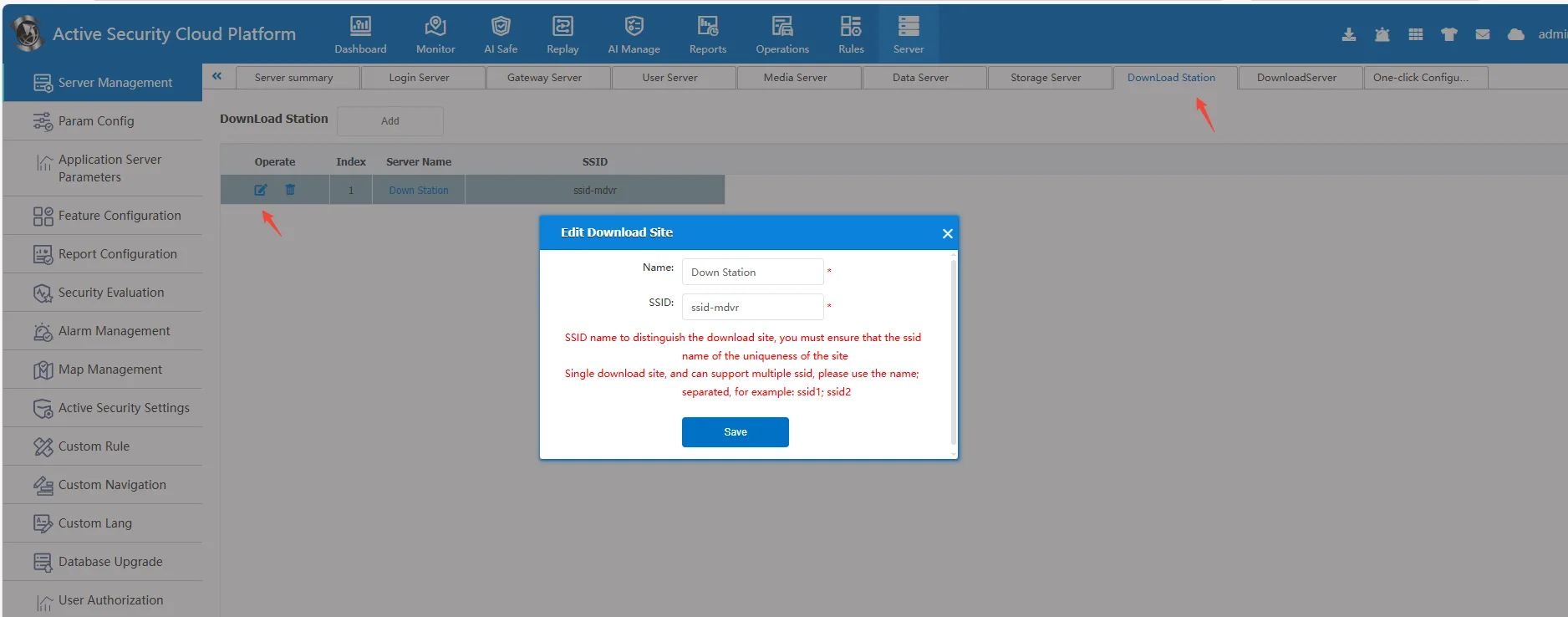
1. Add a WiFi download site on server A
Information Management - Server Management - Download Site - Add
Note: The SSID of the WiFi download site must be consistent with the WiFi name used when the device reports; otherwise the download plan will not be executed.
The name of the download site can be defined by yourself.
2. Modify or add a WiFi download server on server A
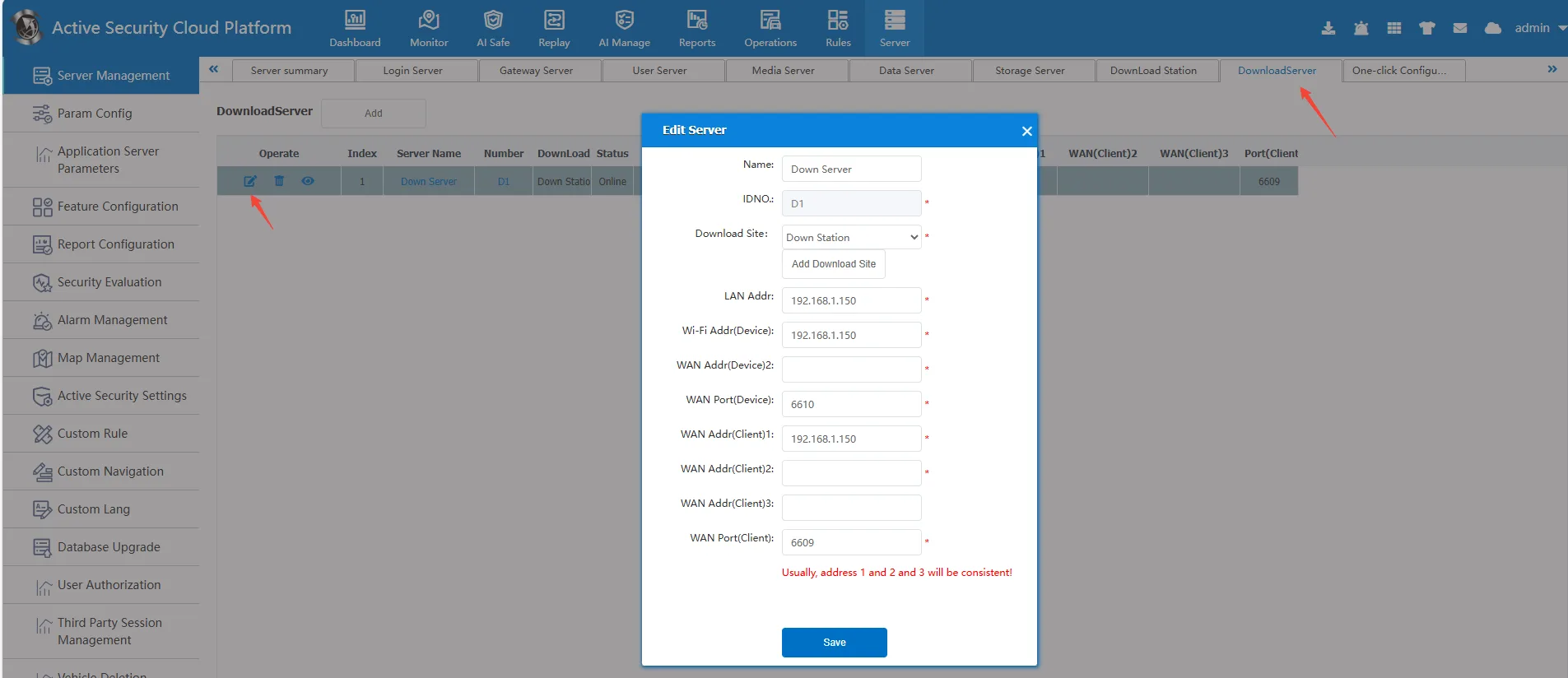
Since a download server already exists by default, you can click Modify directly.
1 - keep it consistent with the site added above 2 - fill in the IP address of server B
3. Add a WiFi download rule on server A
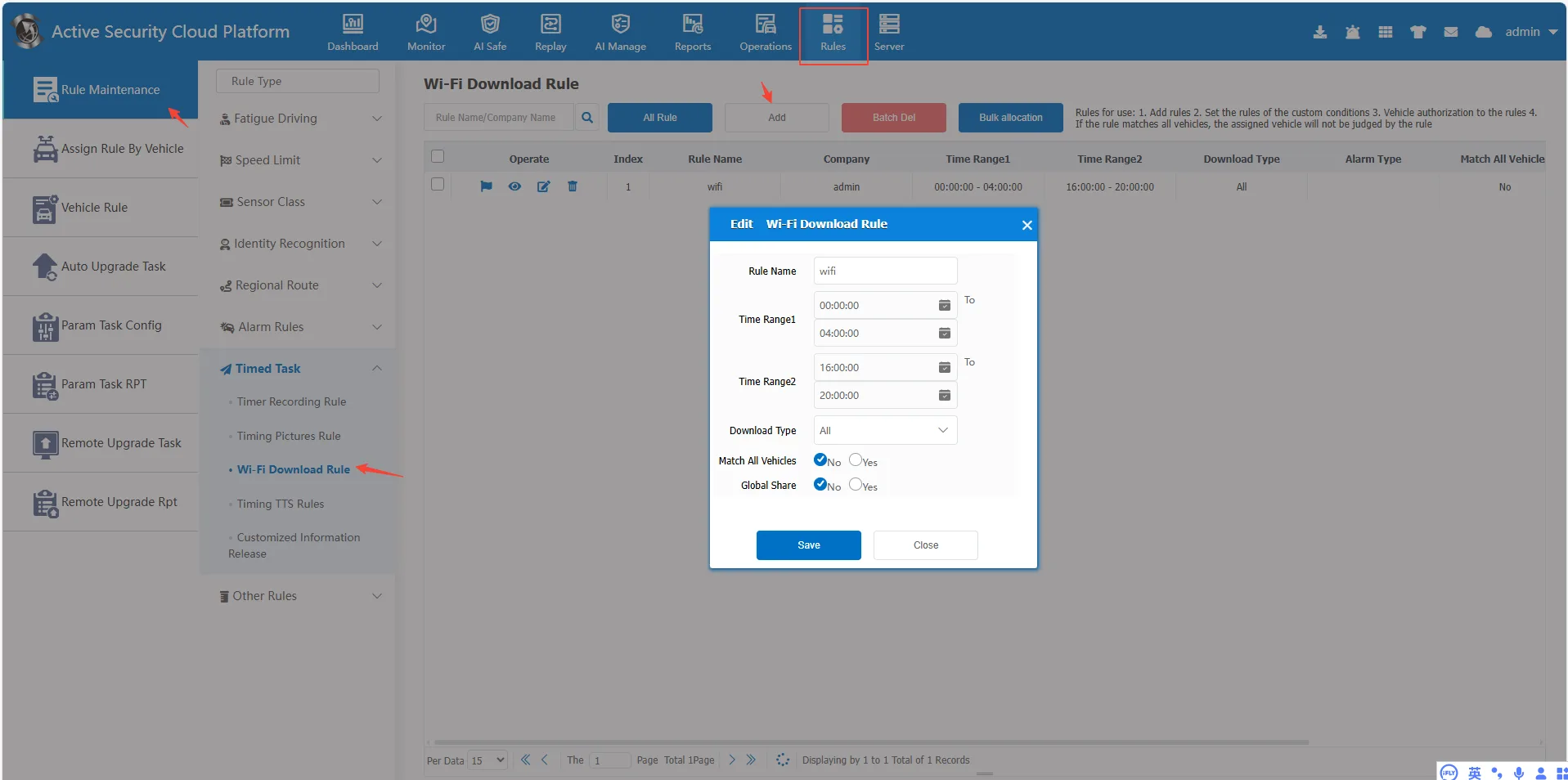
Rule Management - Rule Maintenance - WiFi Download - Add
1 - name the rule 2 - set the time period to be downloaded 3 - select the type to be downloaded
4. Assign the WiFi download rule on server A
Click here to assign the rule.
After selecting the vehicles to be assigned this rule, click Assign (select the devices to be assigned this rule in the box).
5. Set the WiFi download path and status on the server B software
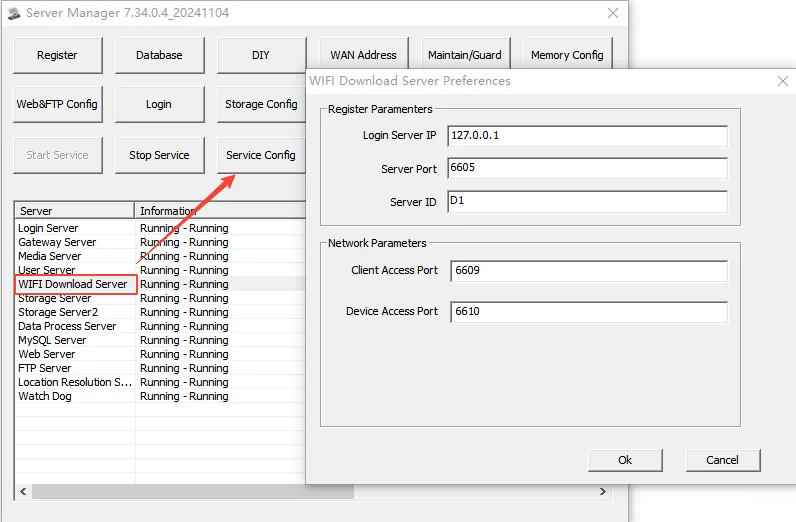
1 - fill in the address of server A 2 - correspond to the port and number of server A 3 - correspond to server A
Click the framed part to check the status.
1 - you can select the download path 2 - download the recording files of the last three days 3 - the number of files that can be downloaded by one device at the same time 4 - how many devices are supported for simultaneous download
6. Play back the downloaded recordings in video playback
1 - click Video Playback 2 - select the corresponding device 3 - select the download server (recording) 4 - click Search