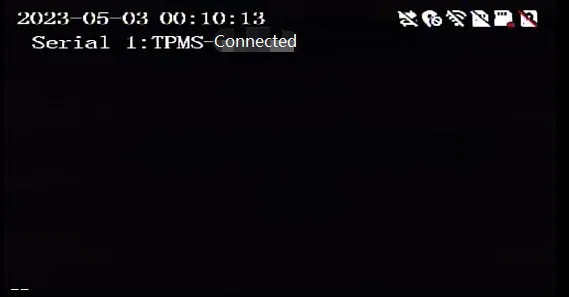
Installation list
| Name | Quantity | Name | Quantity |
|---|---|---|---|
| MDVR device | 1 | MDVR 232 IO harness | 1 |
| Remote controller | 1 | Display | 1 |
| Tire pressure sensor | 1 | Common wiring tools | n |
Necessary instructions
- Here we take YAT-232 as an example. For other 232 protocol models, please refer to the following 232 wiring
- Tire pressure of some manufacturers may need to be debugged and connected before use
** Actual picture**:
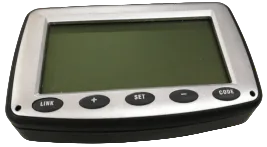
YAT-232
Operation steps
1. Wiring
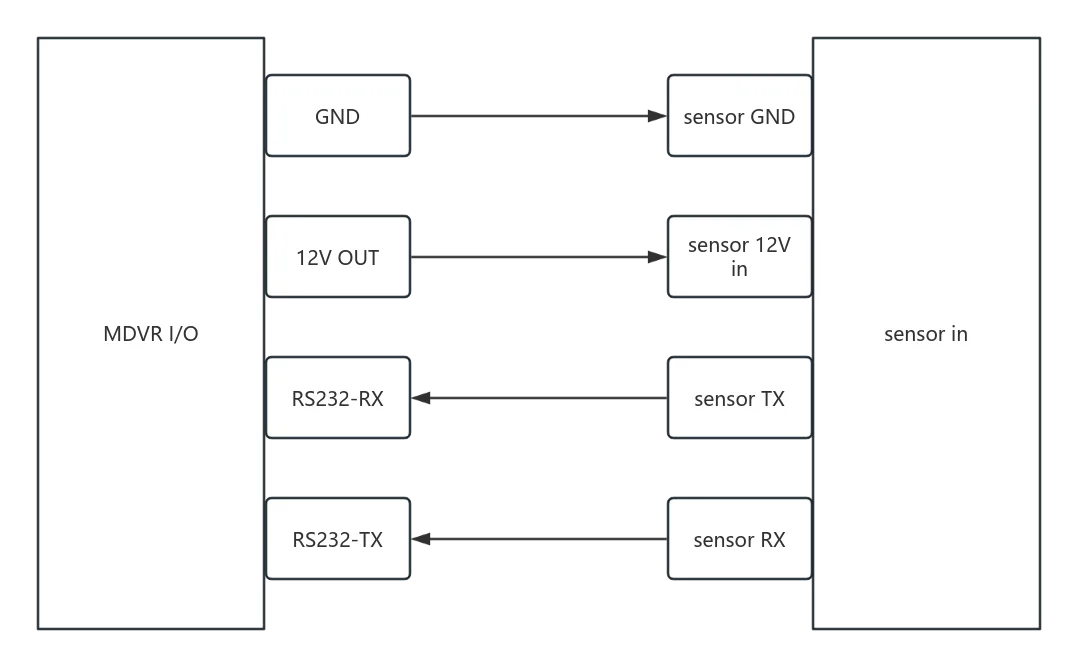
2. Device menu configuration
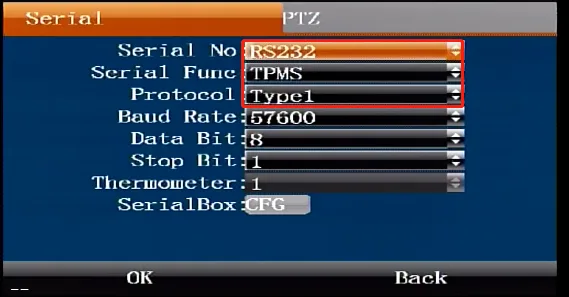
Remote control to enter menu>>Settings>>Serial port settings>>Serial port, serial port index configuration RS232, serial port function TPMS , protocol type type1, other parameters default, confirm to save and restart the device to take effect.
3. Tire pressure test
After restarting, press the remote control direction key to go to the serial port status to check whether it is connected