Prerequisites:
- The device maintains the latest firmware version. For upgrade methods, refer to the article Firmware Upgrade Method
Troubleshooting steps:
Here, take the CMSV7 platform as an example
Status 1: The MDVR device has oil sensing data, but the platform has no data
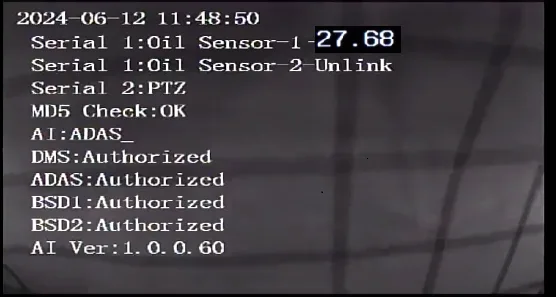
1.1 First connect the display screen, use the remote control to press the right button to turn the page to the serial port status interface to check whether there is oil sensing data
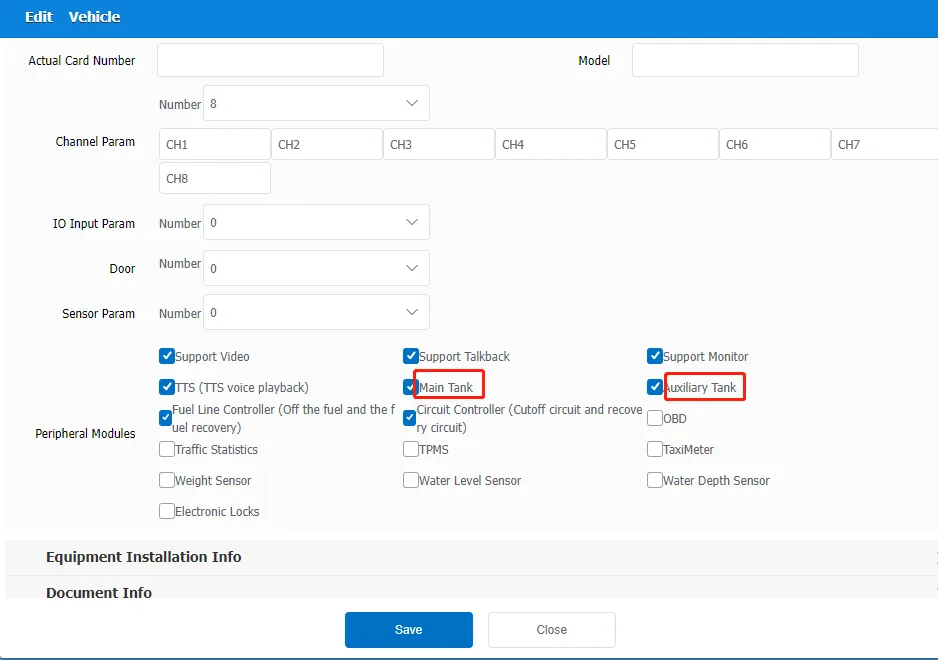
1.2 Log in to the platform and check whether the vehicle permissions have enabled the oil sensor interface in the vehicle management
State 2: MDVR device has no data
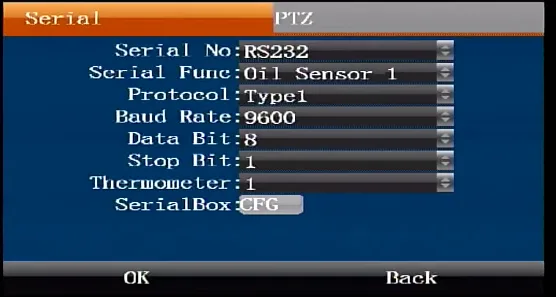
2.1 Connect the display screen first, and use the remote control to check whether the configuration serial port parameters are correct in the serial port menu. For serial port connection configuration parameters of different manufacturers, refer to the FQA serial port introduction article or contact the manufacturer's technical
2.2 Check whether the serial port line is correctly connected. If necessary, you can replace it for testing. Refer to the wiring instructions provided by the manufacturer. Here, we take the 232 protocol oil sensor wiring of a certain manufacturer as an example. MDVR IO line ------- Oil sensor line 12V OUT --------12-24V GND ---------GND RS232-TX -------RS232RX RS232-RX -------RS232TX
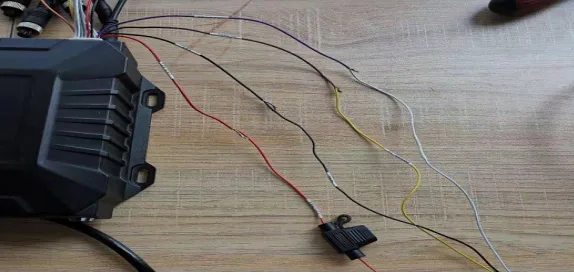
2.3 Check whether the power supply is stable and whether the MDVR and oil sensor power supply are the same power supply. If the oil sensor is powered separately, separate the GND black line and connect it to the device serial port GND black line
State 3: There is no data in the oil sensor peripheral
3.1 Use the manufacturer's matching calibration check tool Connect the oil sensor to see if there is data 3.2 Is the installation in accordance with the manufacturer's documentation? An example of ultrasonic installation by a manufacturer Clean the bottom of the tank and find the installation point
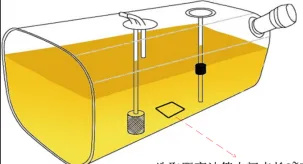
A. Select a square area of 3~5cm B. Make sure to avoid the oil return pipe and the original oil float rod
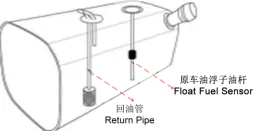
C. If it is a black iron fuel tank, the outer black paint needs to be sanded off with sandpaper. Aluminum alloy fuel tanks and stainless steel fuel tanks do not require sandpaper D. Fix the probe, clean the probe used to find the installation point, and clean the installation position just selected again, make sure it is dry, fix the probe into the bracket, align the card slot and snap the back bracket
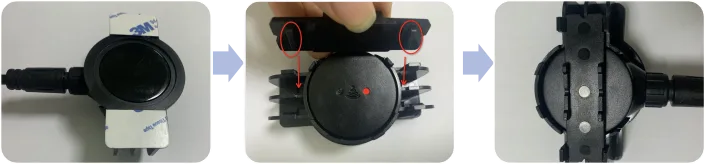
E. Paste the round silicone ring and fill it with butter silicone grease
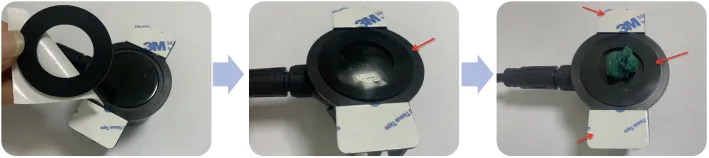
F. Remove the double-sided adhesive tape on both sides of the bracket, stick it to the target installation point, and fix the probe with a 304 stainless steel tie
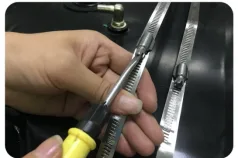
G. Fix the probe and tighten the screw bracket
Status 4: Inaccurate data reported by the oil sensor to the platform
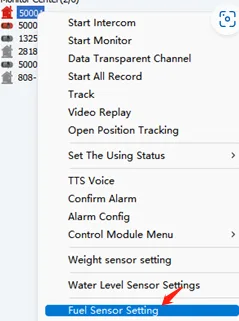
4.1 Log in to the platform client and configure several sets of oil volume ratio data