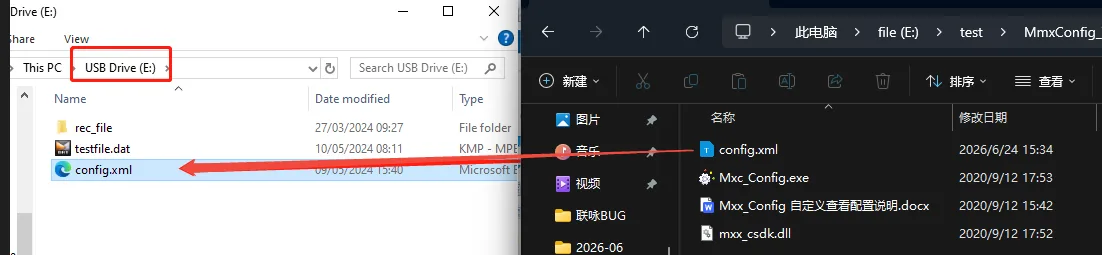
Prerequisites:
The device’s SD or TF card must already be partitioned into two separate partitions. You can insert it into a computer to verify this, as shown in the image below. If you have not used it before, first insert it into the device and power it on; the partitions will be automatically formatted. Once the device starts recording, shut it down and remove the card.

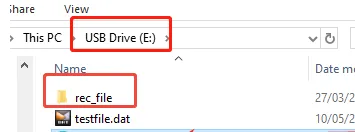
Reference for importing device configurations:CMSV7--Import local configuration to register private platform
Steps:
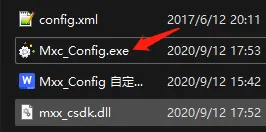
Click to download the MmxConfig Configuration tool: After unzipping and installing, click “Mxc_Config” to open the tool.
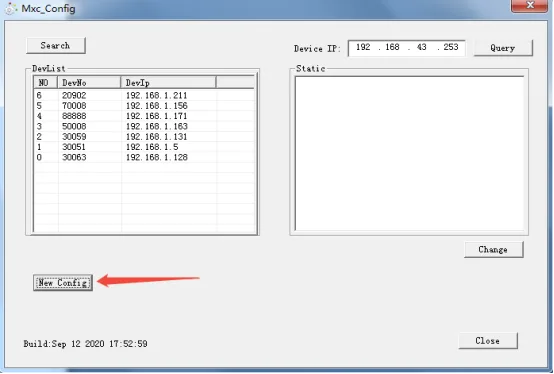
After opening the tool, click “New Config”
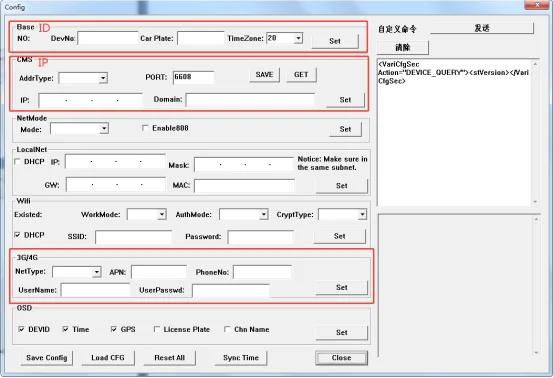
Once you’re on this screen, configure the parameters within the red box to connect the device to the network: After setting the parameters, click SET; the icon will turn gray, and then click Save Config. Note: 3G/4G settings generally do not need to be configured and can remain at their default values. Do not click SET if no configuration is required (for special APN settings, modify the relevant parameters as shown in the demonstration image).
ps:
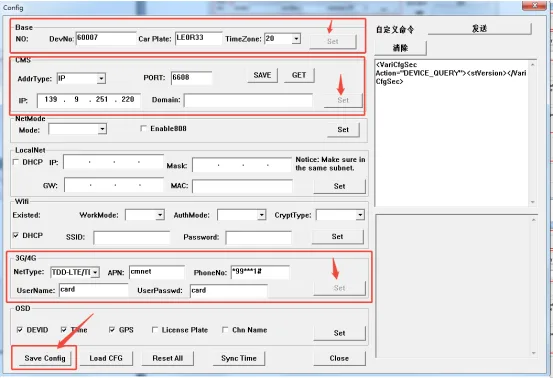
- After saving the file, copy it (config.xml) from the Tools folder to the memory card, insert the card into the device, and the configuration will be imported automatically when the device is turned on.