Prerequisites:
- The device and computer are on the same local area network (LAN), and the computer can ping the device's local IP address.
- Alternatively, the device has a WiFi module and can be switched to AP mode, allowing the computer to connect to the AP hotspot and access the address 192.168.42.100.
Instructions
- Web network configuration is used to configure some network parameters of the device, such as 4G, WiFi, and the CMSV7 platform.
Operation Steps:
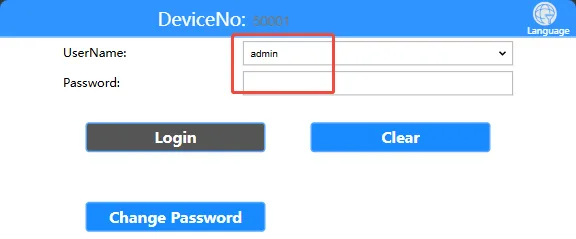
Open your computer's browser and enter the device's local network IP address or AP hotspot address to access the web login interface. Enter the login password "Adm_123" and click "Login". To view the device's local network IP address, refer to the article "Function Usage" >>> "Network Functions"

Enter the username and password on the login page to access the settings page. Default username: admin, default password: Adm_123 3. Click on the settings page. Normal Settings >> Network Settings Enter the network settings interface
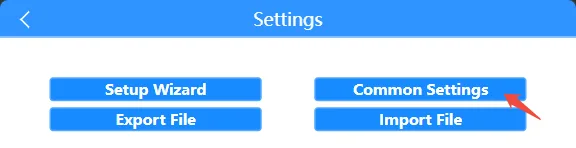
On the settings page, click General Settings >> Network Settings to enter the network settings interface.
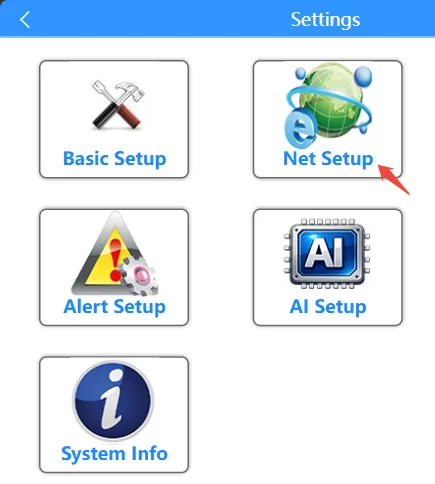
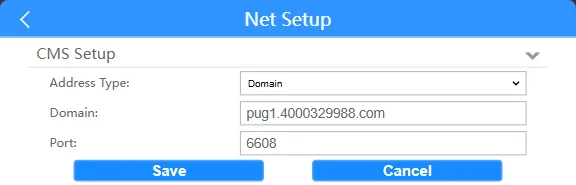
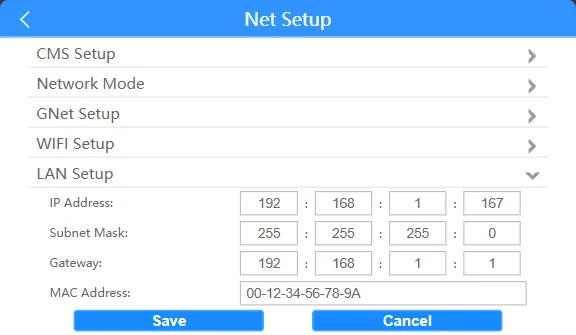
On the network settings page, click the Platform Settings tab to configure the CMSV7 platform registration parameters on the private protocol
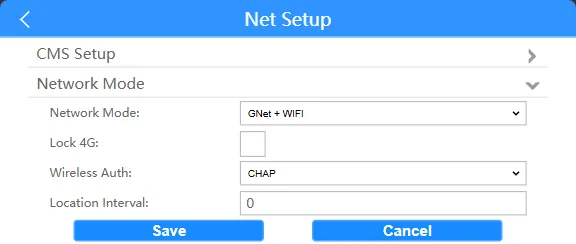
Click the Network Mode tab You can configure the device network mode (4G/WIFI/4G+WIFI mode/wired, 4G authentication type, GPS location transmission platform interval)
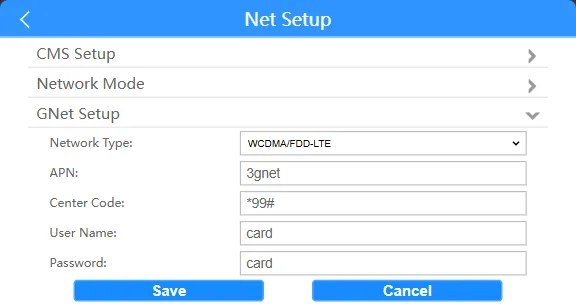
Click the GNet settings bar to configure 4G dial-up network type, access point, authentication username and password, and some dial-up parameters (the default settings are fine for domestic use; for overseas or VPN-specific IoT cards, please consult the SIM card manufacturer for these parameters).
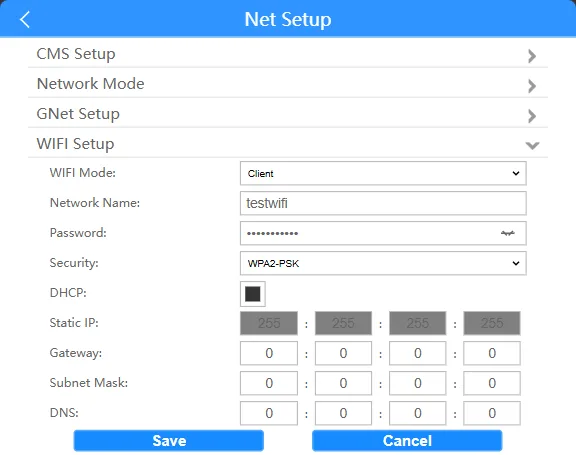
Click WiFi The settings panel allows you to configure parameters such as WiFi working mode, SSID name, password, security type, and automatic or fixed IP address configuration.
Clicking LAN settings allows you to configure the local wired network IP address, subnet mask, gateway, and MAC address.
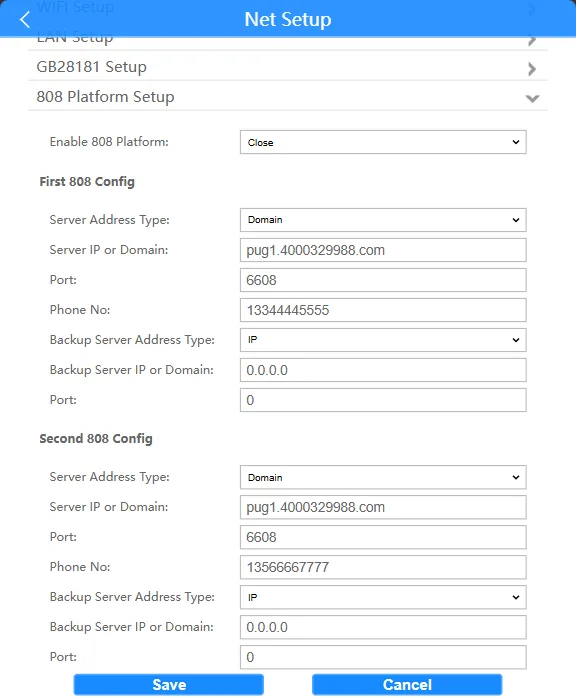
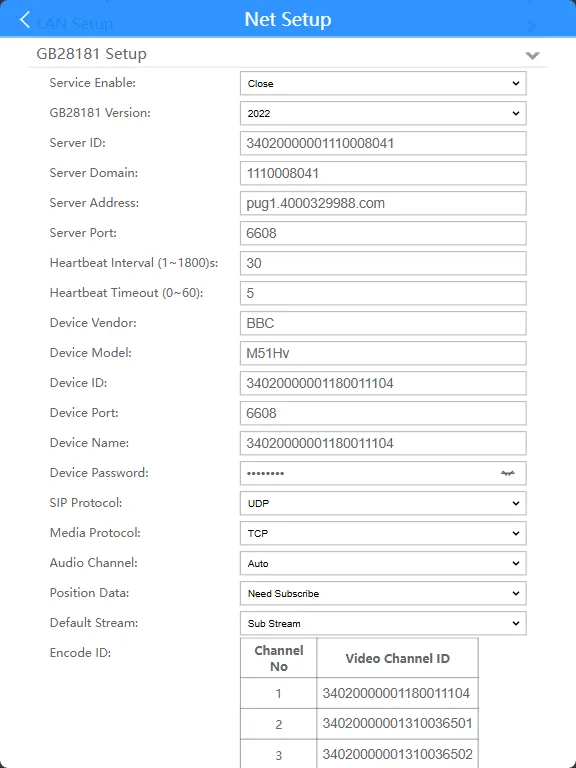
Clicking the GB28181 settings panel allows you to configure parameters related to registering the GB28181 national standard protocol platform.
Clicking the 808 platform settings bar allows you to configure relevant parameters for registering the 808 Ministry Standard Protocol platform.