Prerequisites:
- A usable remote control and a normal display screen
- The device is already in the shipping state (AI has been authorized and the algorithm has been imported)
- The device firmware is already a customized version that supports passenger flow counting
Operation steps:
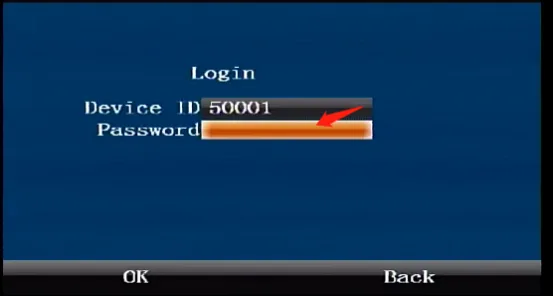
Press the middle "ENTER" confirmation button on the remote control to come to the login interface and enter the default administrator password "999999"
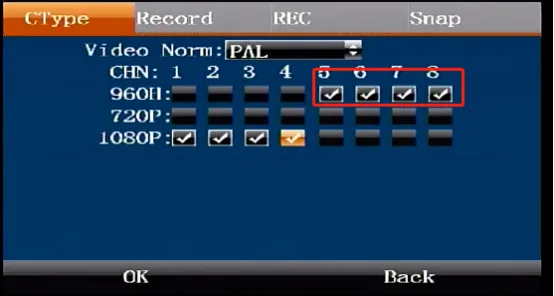
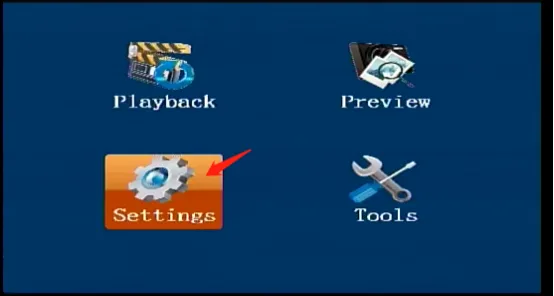
Press the ENTER button on the remote control to enter [Settings]---[Record]---[CType], press the ENTER button again to enter the editing state, move to the last 4 channels check box, check the setting of the binocular passenger flow counting camera 960H resolution, and confirm to save.
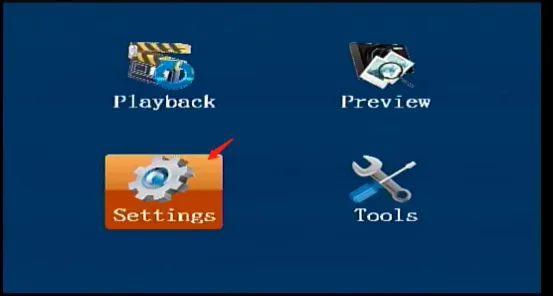
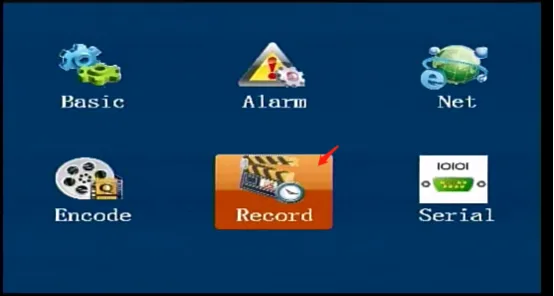
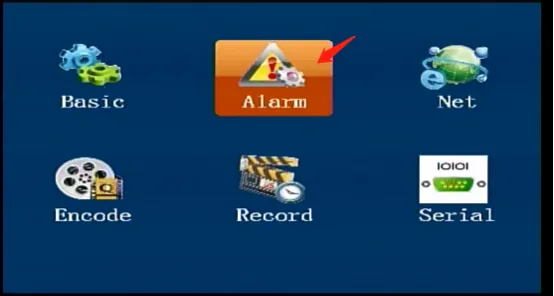
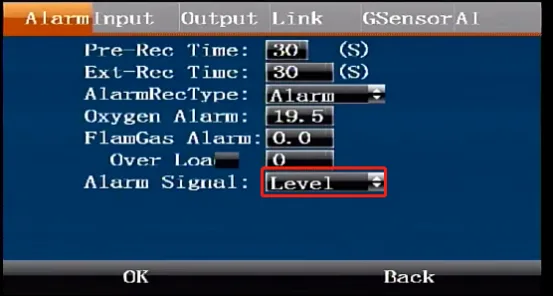
- Press the remote control return button twice to return to the main menu interface. Press the remote control [ENTER] button to enter [Settings]---[Alarm]. On the default first page [Alarm], press the "ENTER" button to enter the editing state. If it is not on the first page [Alarm], press the left and right arrow keys to move to this page. Press the remote control down button to move to the alarm input signal selection pulse or level signal, and confirm to save.
Press the remote control return button again, press the right button on the remote control to move to [Input] to open, select each door function, and confirm to save.
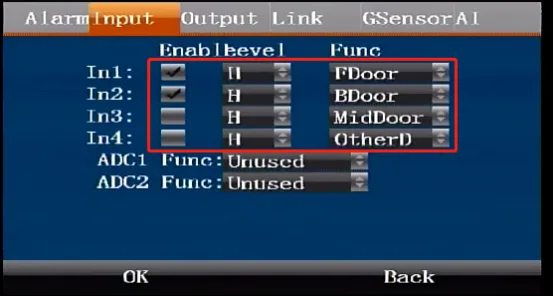
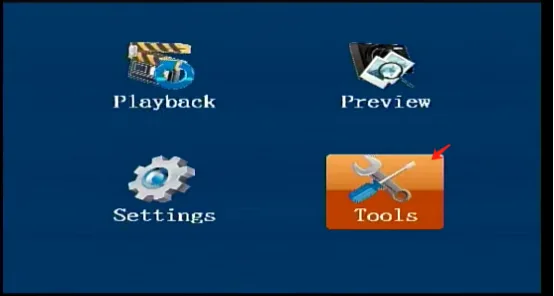
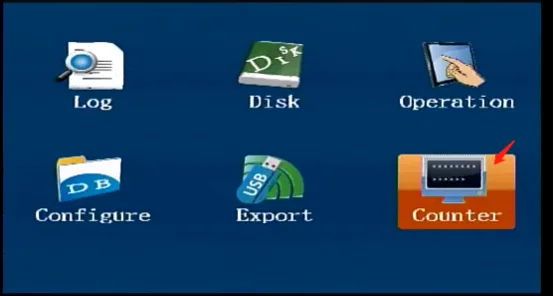
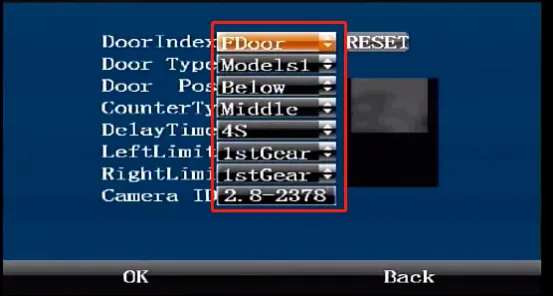
Press the remote control back button twice again to come to the main menu interface, press the remote control [ENTER] button to enter the [Tools] interface---[Counter] to fill in various parameters according to the installation requirements, and finally press the snapshot button in the lower left corner of the remote control
 The background is saved and the device is restarted to take effect.
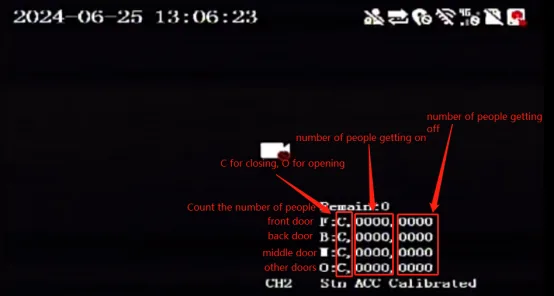
- After restarting, you can check the number of passengers and the door opening and closing status in the lower right corner of the display