Prerequisites:
- The device and computer are on the same local area network (LAN), and the computer can ping the device's local IP address.
- Alternatively, the device has a WiFi module and is switched to AP mode, and the computer connects to the AP hotspot and accesses the address 192.168.42.100.
Instructions
- Basic WEB settings are used to configure some basic device parameters, such as time, mirroring, and reboot.
Steps:
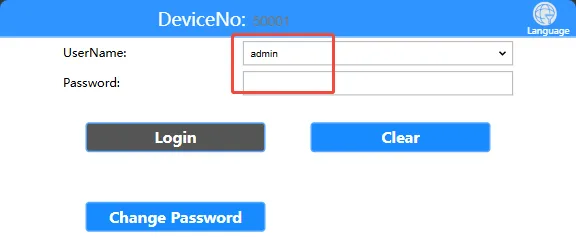
Open your computer's browser and enter the device's local network IP address or AP hotspot address to access the WEB login interface. Enter the login password "Adm_123" and click "Login". To view the device's local network IP address, refer to the article "Function Usage" >>> "Network Functions"

Enter the username and password on the login page to access the settings page. Default username: admin, default password: Adm_123
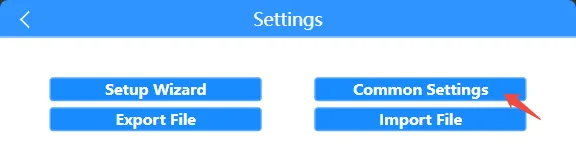
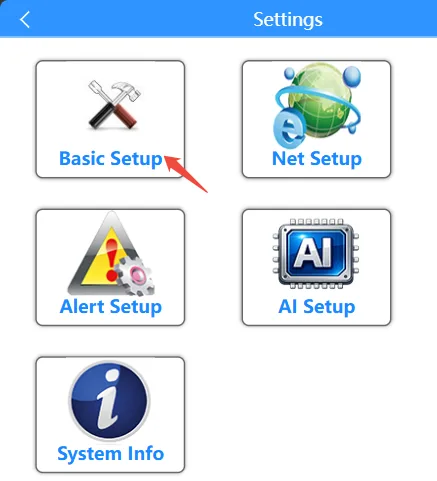
Click on the settings page Normal Settings >> Basic Settings Enter the basic settings interface
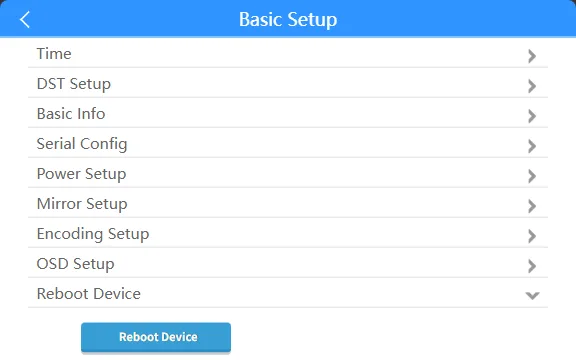
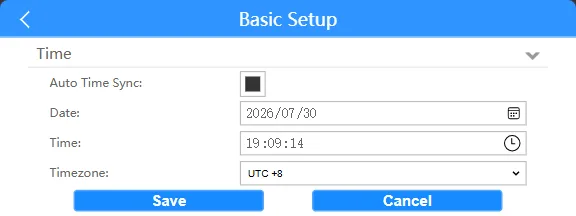
The time field allows you to set automatic time synchronization, date, time, and time zone parameters.
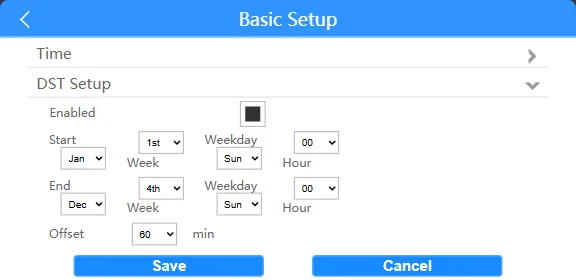
The daylight saving time field allows you to set parameters related to enabling daylight saving time.
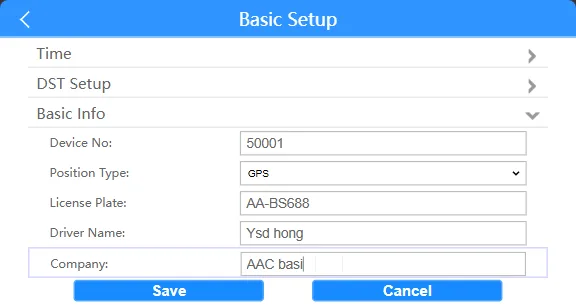
The basic information field allows you to set the registered private platform device ID, device positioning mode, license plate, driver's name, and company name.
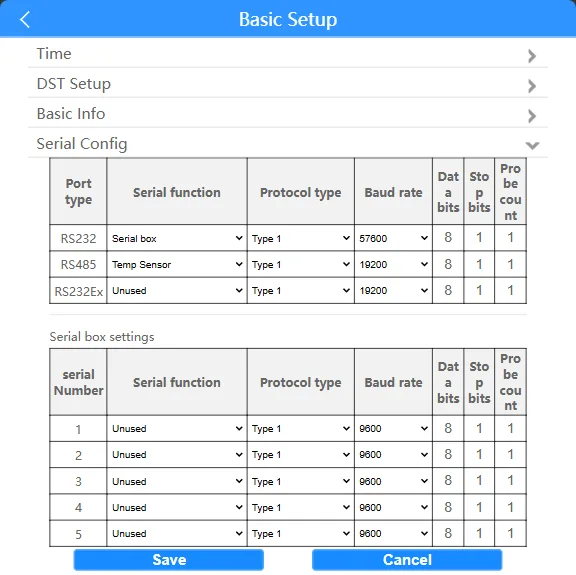
The serial port configuration field allows you to set serial port configuration parameters.
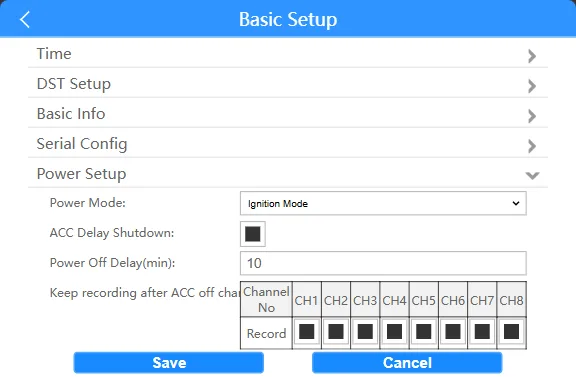
The power on/off settings allow you to set the power on/off mode, ACC delay duration, and ACC off/off channel recording.
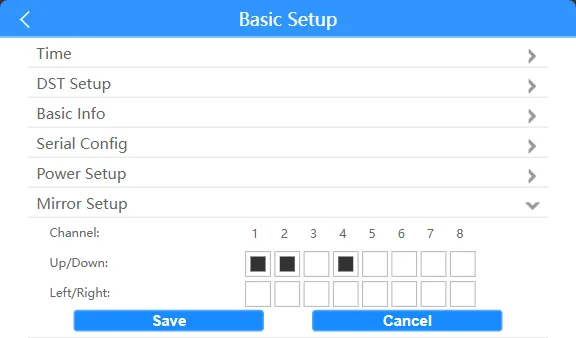
The mirror settings allow you to set the video channel image mirroring top, bottom, left, and right. Rotate to the right
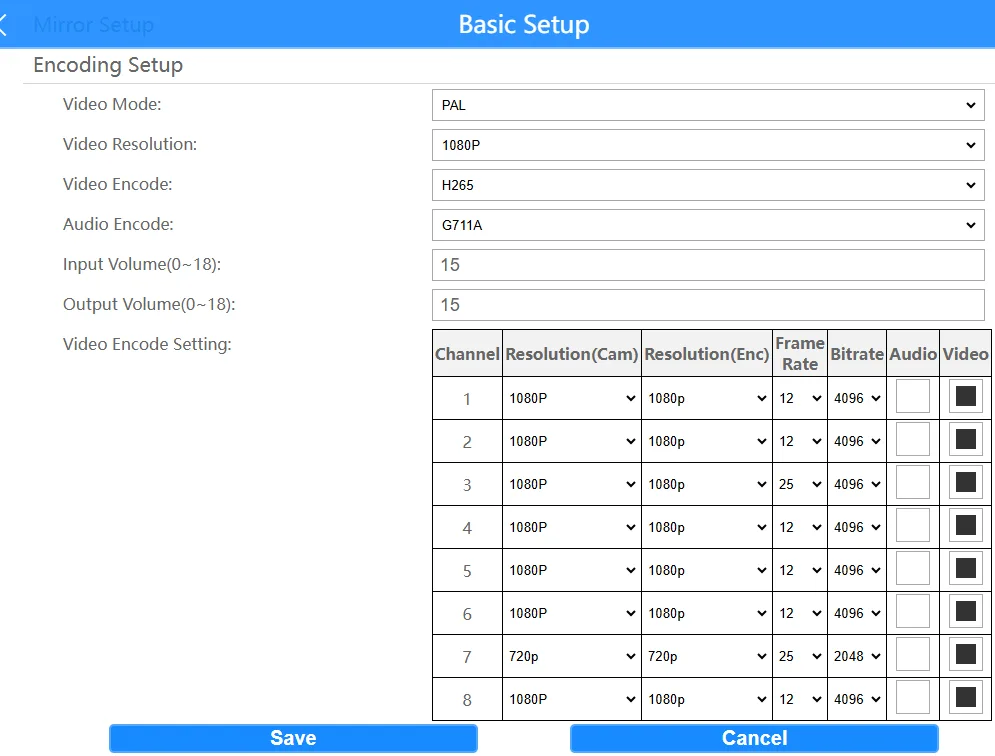
The encoding settings bar allows you to set the video system, display output resolution, video or audio encoding type, volume, and video channel encoding parameters. Note that to disable video encoding here, please follow the steps from bottom to top to disable it.
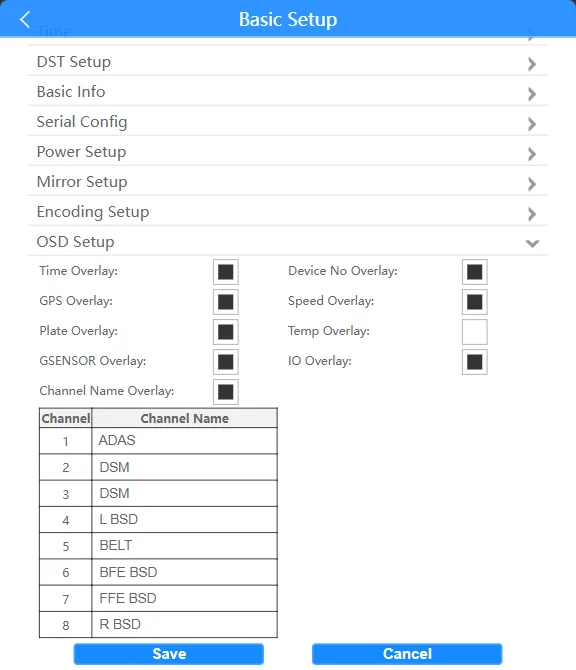
The OSD overlay bar allows you to toggle the display of some OSD overlay videos and customize OSD channel overlays.
Clicking the "Restart Device" bar will restart the device.