Prerequisites:
- Display, remote control, GPS antenna
Operation steps
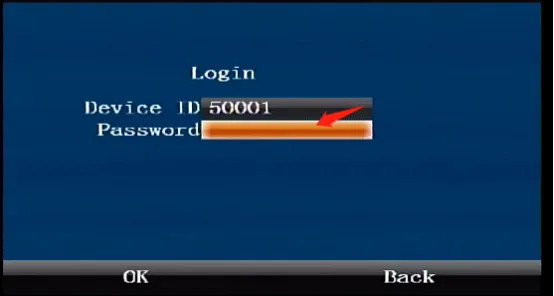
Press the [ENTER] button on the remote control to enter the login interface, enter the password "999999", and automatically log in to the main menu
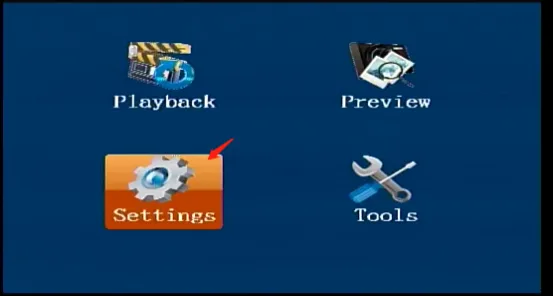
Select [Settings] on the main menu interface, press " ENTER" key to enter the settings interface
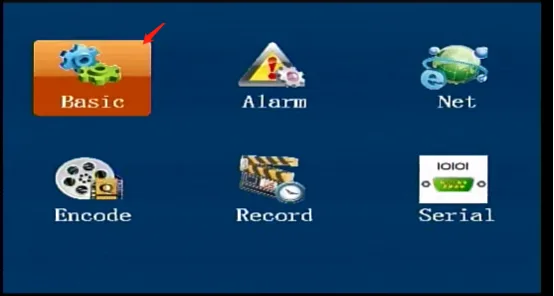
Select [Basic Settings] in the [Settings] interface and press the "ENTER" key to enter the basic settings interface
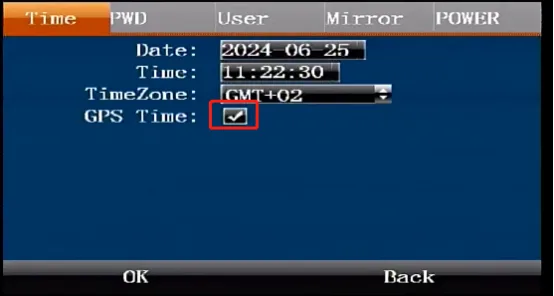
Select [Time] in the [Basic Settings] interface, enter the time settings page, modify the time and time zone, and press "OK" to save after the modification
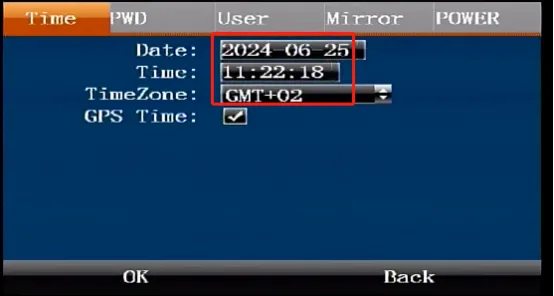
Automatic time calibration
- If the automatic time calibration is checked, the device will automatically calibrate the time after the GPS positioning is successful after the device is turned on