Prerequisites:
- The device and computer are in the same LAN, and the computer can ping the local IP address of the device
Operation steps:
Click to download MVMS_NetPlayer_Setup_V2.9.20260316.1.exe.zip configuration tool, unzip and install, click to complete the installation
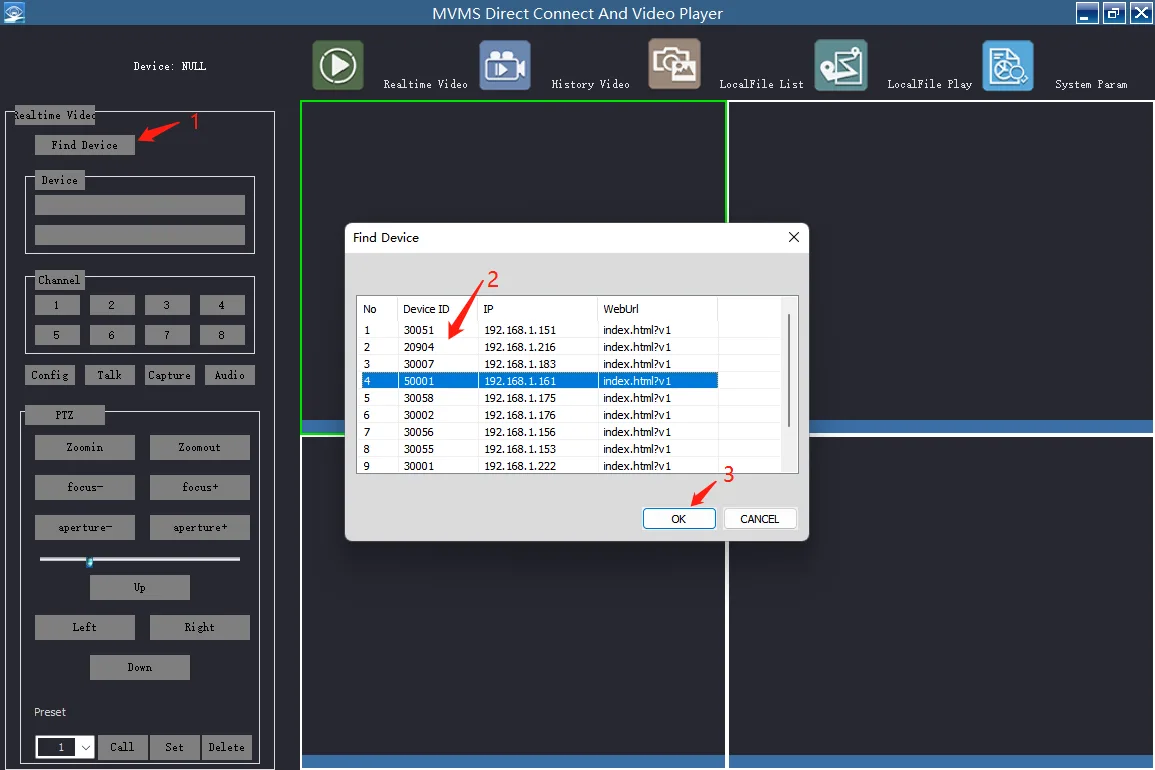
Click "Find Device", select the device to view the configuration, and click Confirm, as shown below
On the left are some common function controls, such as channel real-time preview, PTZ control, etc., and the upper right corner is for playback of device history recordings, playback of computer local recording files, etc.
Configuration parameters Click the "Configure" button on the left to pop up the plug-in configuration box
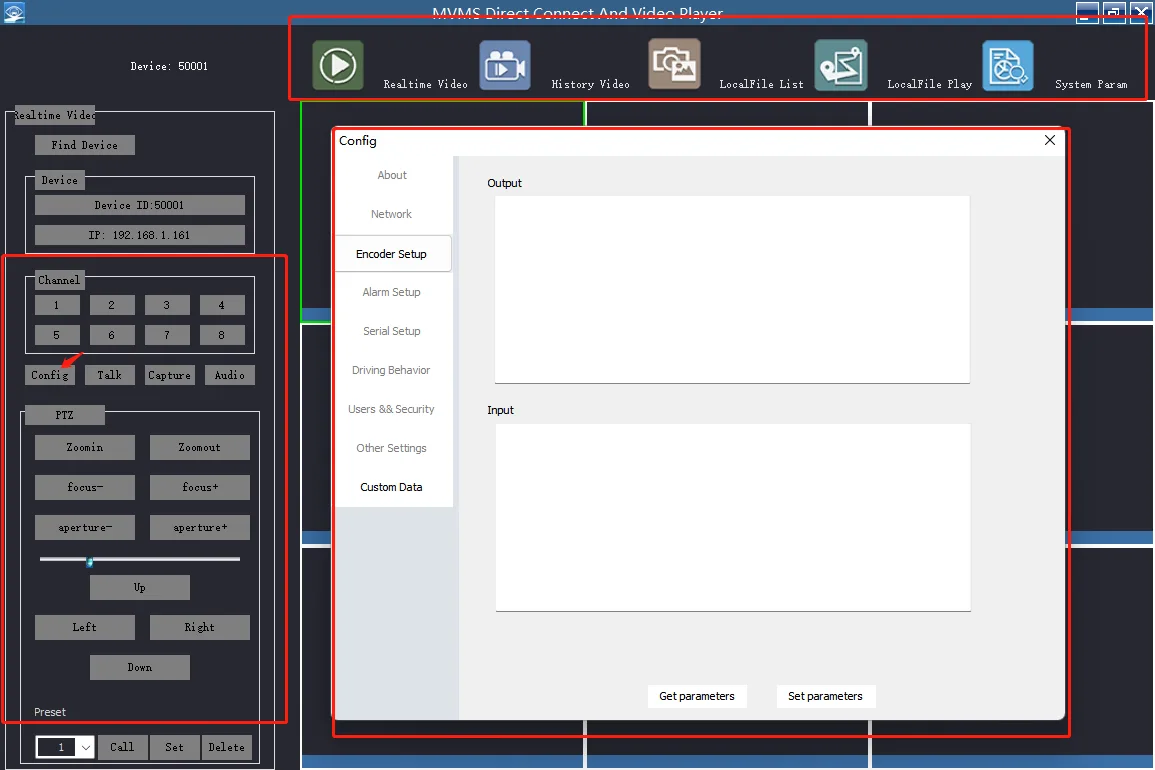
For the plugin configuration function, please refer to the previous article "Tongtianxing Client Plugin Online Configuration Tool"