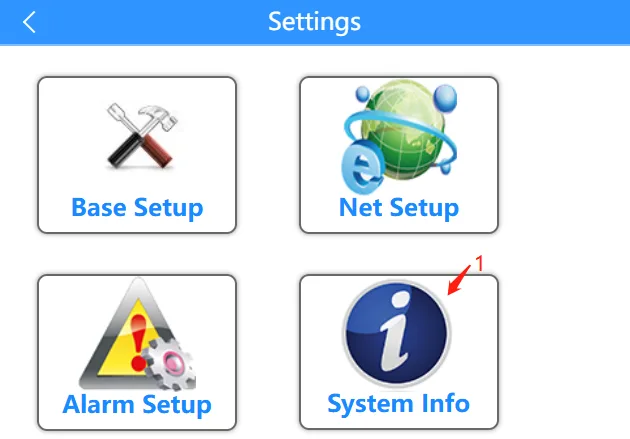
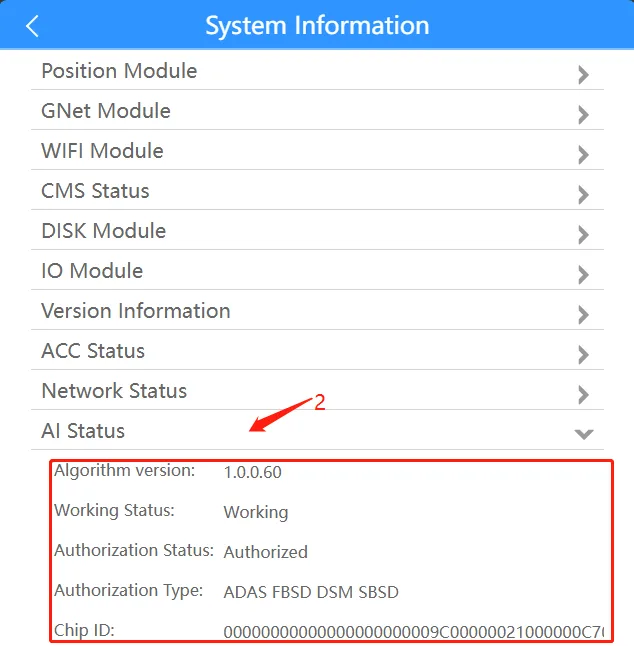
Prerequisites:
- The device and computer are in the same LAN segment, and the computer can ping the local IP address of the device
- The device is already in the shipping state (AI has been authorized, the algorithm has been imported)
Operation steps:
1. Enable AI function
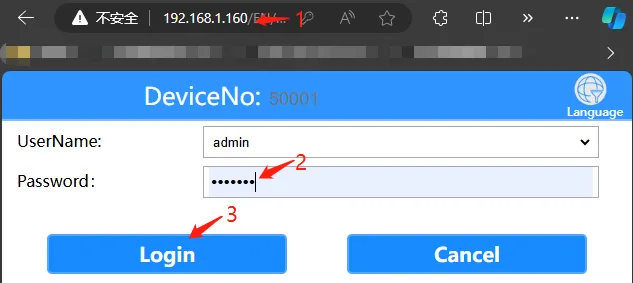
1.1 Open the computer browser and enter the local network IP address of the device, fill in the login password "Adm_123" and click "Login" , refer to the article introduction of "Function Usage" >>> "Network Function" for the local network IP address of the device
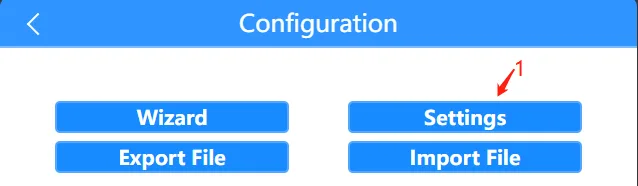
1.2 Click "General Settings" >>> "Alarm Settings" >>> "AI Settings" menu
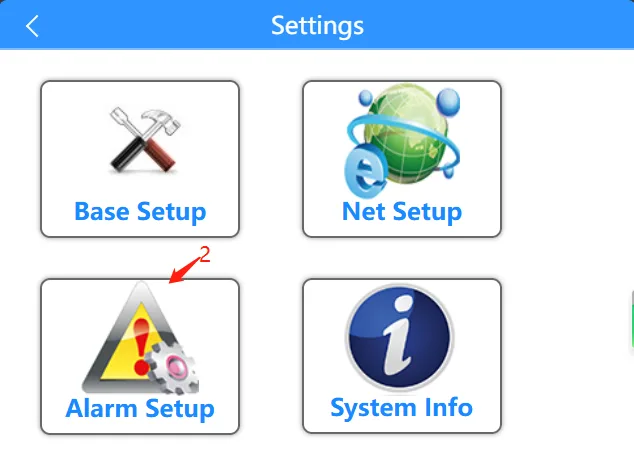
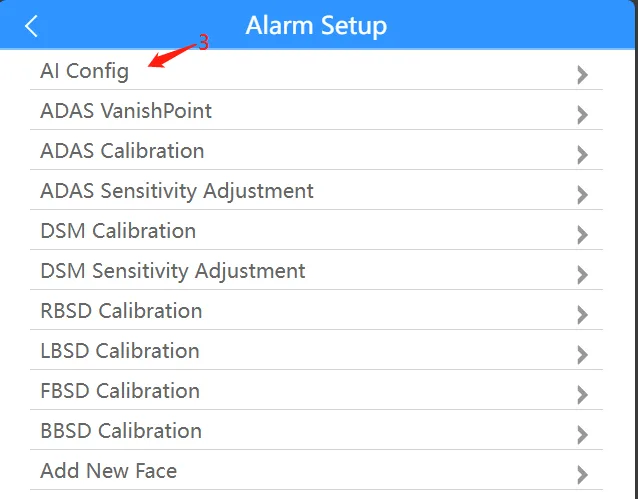
1.3 Click to enable AI function and associated channels in the "AI Settings" menu 1.3.1 Enable ADAS function and associated channels:

1.3.2 Enable DSM function and associated channels:

1.3.3 Enable R BSD (right BSD) function and associated channels:
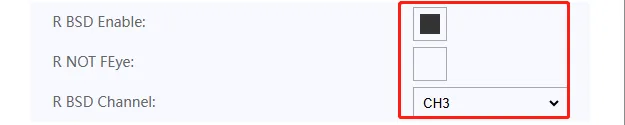
ps: If you use a fisheye camera for the BSD function, do not check the "R non-fisheye lens:" checkbox. If you use a normal camera for the BSD function, check this option. 1.3.4 Enable L BSD (Left BSD) function and associated channels:

ps: If you use a fisheye camera for the BSD function, do not check the "L non-fisheye lens:" checkbox. If you use a normal camera for the BSD function, check this option. 1.3.5 Enable F BSD (former BSD) function and associated channels:

ps: If you use a fisheye camera for BSD function, do not check the "F non-fisheye lens:" checkbox. If you use a normal camera for BSD function, check this option. 1.3.6 Enable B BSD (post-BSD) function and associated channels:

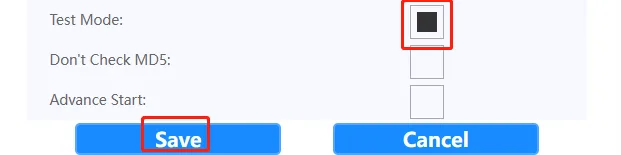
ps: If you use a fisheye camera for BSD function, do not check the "B non-fisheye lens:" checkbox. If you use a normal camera for BSD function, check this option. 1.3.7 Enable test mode. If you do not need to test, ignore this step and save and restart the device.
2. Check if AI is running normally
2.1 After the device restarts, open the browser again and follow the above steps to get to the "General Settings" menu interface 2.2 Click "System Information" >>> "AI Status" menu to check whether the AI status correctly displays the version number, running status, authorization status, authorization type, and chip ID number