Introduction
This chapter will introduce the definition of the rear panel interface and front panel slot of our car-mounted MDVR series!
M32HV interface definition:
Back panel
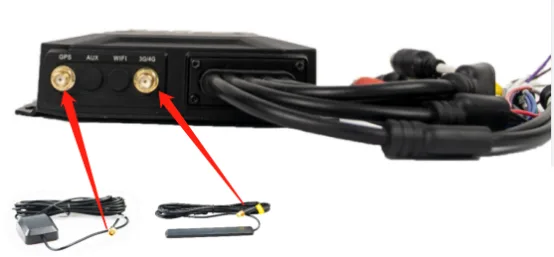
Instructions for use: The two on the left are the GPS and 3/4G antenna sockets. Use the matching GPS and 3/4G antennas to insert and tighten clockwise (AUX expansion port is for expansion use, WIFI port is for models with WiFi module). The right side is a one-to-two USB adapter and an RJ45 network cable adapter, power supply, video input, IO expansion integrated wiring harness, AV1-4 video input, and CVBS display output port, as shown above.
Front panel
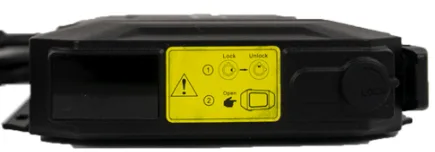
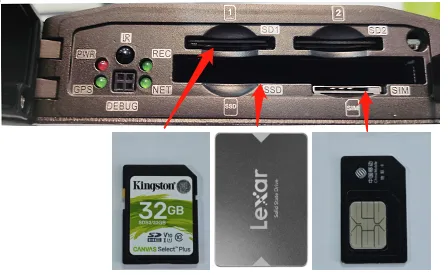
Instructions: The right side is the switch lock. Use the matching key with the notch facing upwards and gently press it. Insert it counterclockwise to the vertical notch to unlock it. Open the head of the right buckle and then open the door. The internal test is the SIM card, SD1/2 card, and hard disk insertion port. Use the SIM (large card) and SD card notch to the right. Use a 2.5-inch hard disk (SSD OR Insert the HDD into the hard disk port with the notch facing downwards. After completion, close the door, buckle the buckle on the right, and use the key to turn it clockwise to the horizontal notch to lock it. The USB port on the left is used to insert U disk and other media to upgrade firmware, import configurations, and other operations, as shown above.