Prerequisites
- Available remote control, normal display screen
- The camera is plugged in and the screen is displayed (refer to basic configuration --- Remote control configuration camera resolution, format)
Operation steps
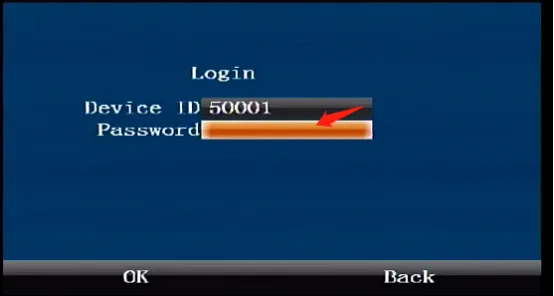
Press the remote control [ENTER] key to enter the login interface, enter the password "999999", and automatically log in to the main menu
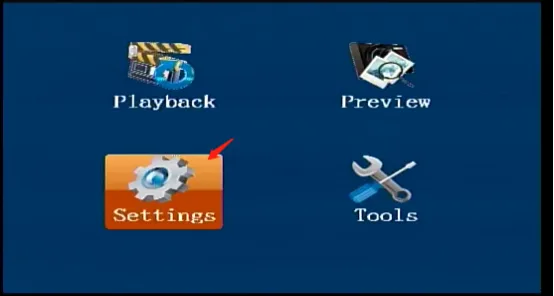
Select [Settings] in the main menu interface and press the "ENTER" key to enter the settings interface
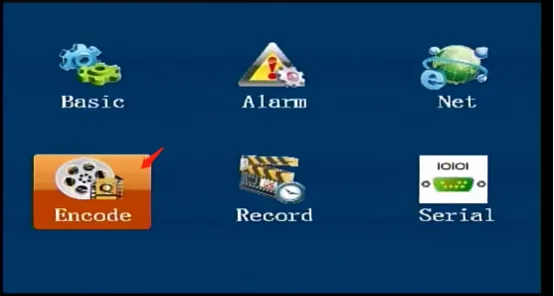
Move to [Encode] in the settings interface and press the "ENTER" key to enter the encoding settings
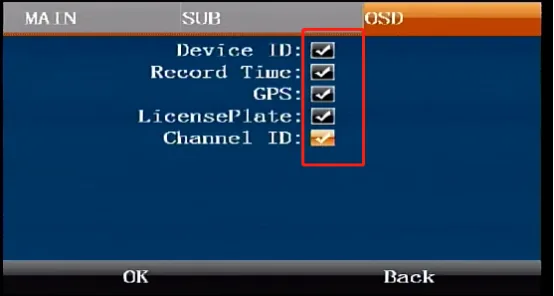
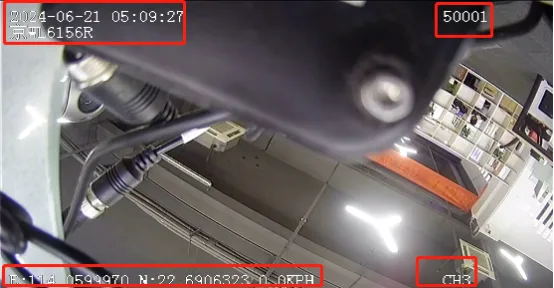
Press the right arrow key to move to the [OSD] settings interface, press the "ENTER" key to enter the editing state, move the down arrow key to check the OSD information to be displayed, confirm and save to take effect immediately, the display effect is as shown below.