Prerequisites:
- Display screen, remote control, storage media (SD card, hard disk, etc.)
- The device recognizes the storage and generates images
Operation steps
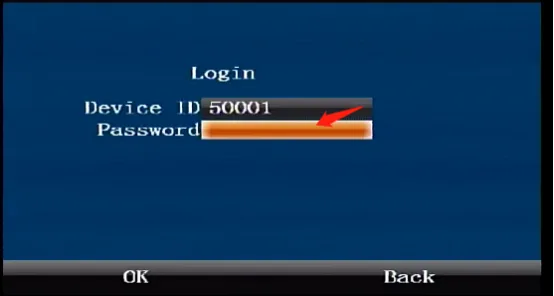
Press the middle "ENTER" confirmation button on the remote control to enter the login interface and enter the default administrator password "999999"
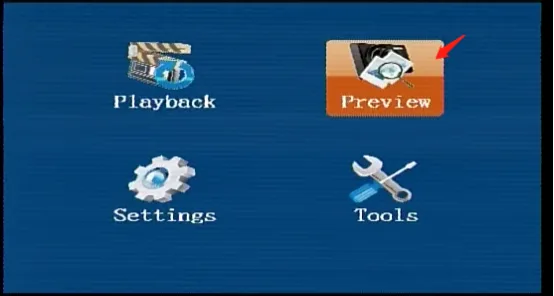
Use the arrow keys on the remote control to move to the "Preview" button, and press the "ENTER" key to enter the "Preview" menu
Press the down arrow key to move to the drop-down bar to select the image storage location, fill in the date and start time, press the "ENTER" key to start playing back the images, press the left and right arrow keys on the remote control to turn the pages, and press the "RETURN" key to exit.
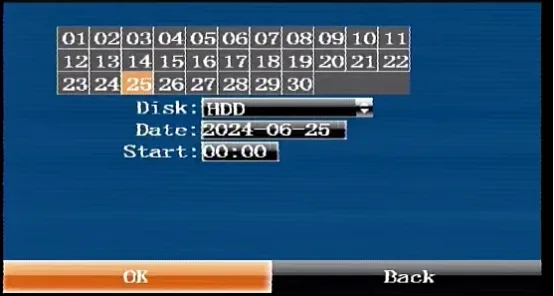
ps: The date above is displayed in yellow, which means the image exists, and in gray, which means it does not exist.