Prerequisites:
- Display screen, remote control, storage media (SD card, hard disk, etc.)
Operation steps
Start recording
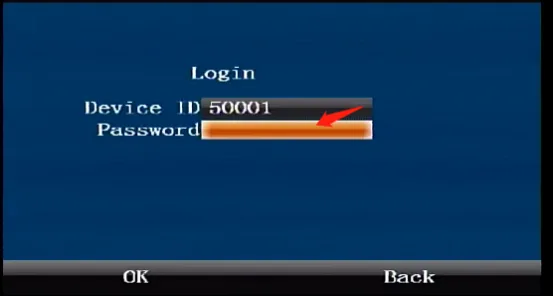
Press the [ENTER] button on the remote control to enter the login interface, enter the password "999999", and automatically log in to the main menu
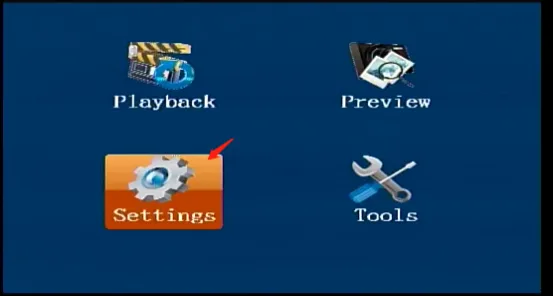
Select [Settings] on the main menu interface and press the "ENTER" button to enter the settings interface
Select [Recording Settings] in the [Settings] interface, and press the "ENTER" key to enter the recording settings interface
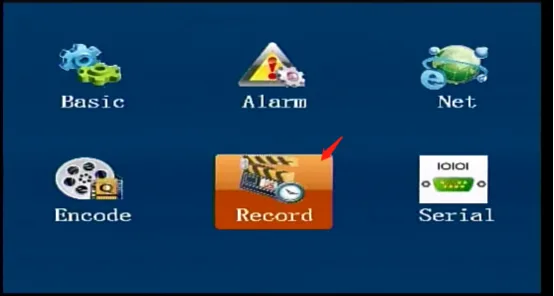
Select [Recording] in the [Recording Settings] interface, select the recording mode as "Power-on recording", and press OK to save and take effect. The device defaults to the power-on recording mode when it leaves the factory. In this mode, the device starts recording immediately when it is turned on and stops recording when it is turned off
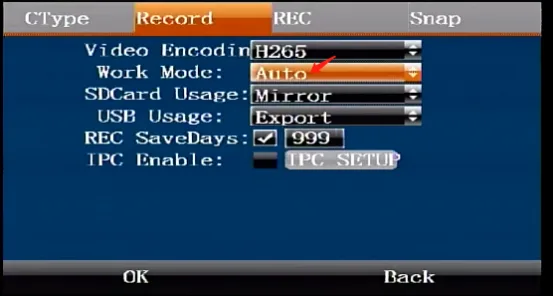
ps: The "alarm recording" mode is not available at the moment
Manual recording
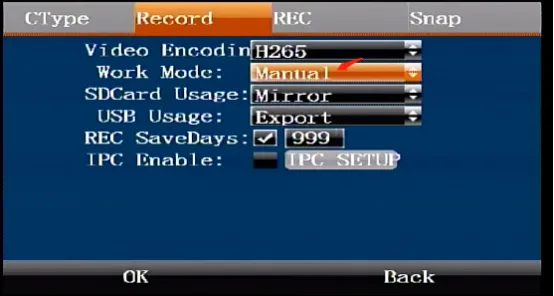
- In the [Recording] interface, select "Manual recording" as the recording mode and press OK to save and take effect. In manual mode, press the REC button on the remote control to start and stop recording.
Timed recording
Select [Recording] in the [Recording Settings] interface, select "Timed Recording" for the recording mode, and press OK to save and take effect.
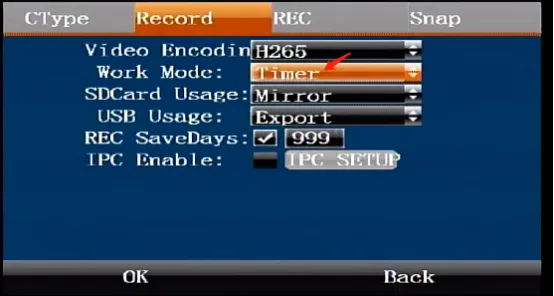
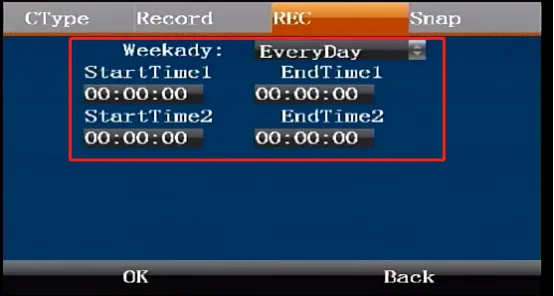
In the [Recording] interface, press the right button of the remote control to enter the [Timer] interface, set the parameters required for timing, and press OK to save and take effect