Prerequisites
- Available remote control, normal display screen
- The camera is plugged in and the screen is displayed (refer to basic configuration --- Remote control configuration camera resolution, format)
Operation steps
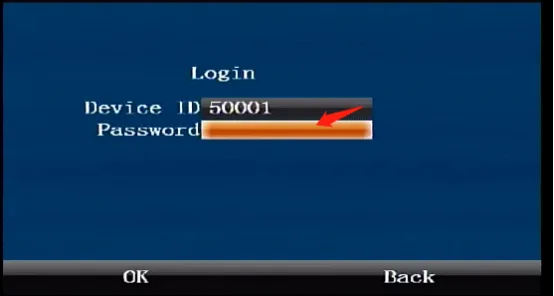
Press the remote control [ENTER] button to enter the login interface, enter the password "999999", and automatically log in to the main menu
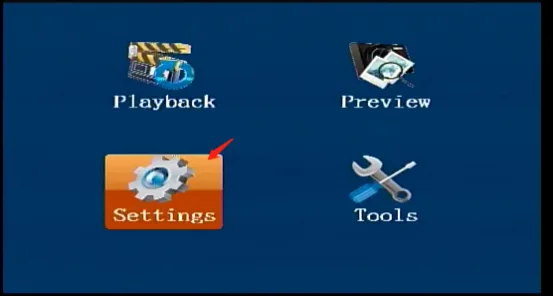
Select [Settings] on the main menu interface and press the "ENTER" button to enter the settings interface
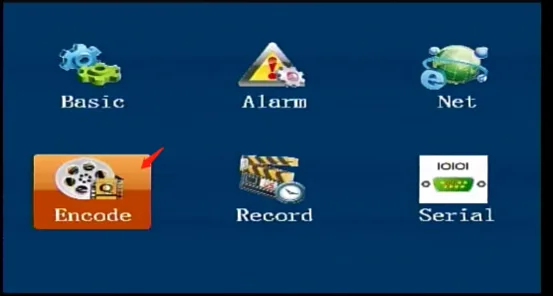
Move to [Encode] in the settings interface and press the "ENTER" key to enter the main stream settings
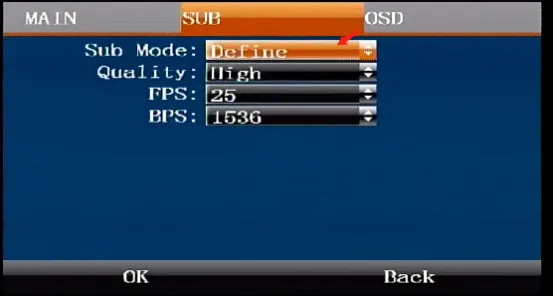
Press the right arrow key to move to the [SUB] settings interface, press the "ENTER" key to enter the editing state, and move the down arrow key to the encoding mode selection item. Select the required mode. In the custom mode, you can change the image quality, frame rate, and bit rate parameters separately. Other modes automatically match the best value. Confirm and save and restart to take effect.