Installation list
| Name | Quantity | Name | Quantity |
|---|---|---|---|
| MDVR device | 1 | MDVR 485or232 IO harness | 1 |
| Remote controller | 1 | Display | 1 |
| Temperature sensor | 1 | Common wiring tools | n |
Necessary instructions
- Here we take MX-TS-01-01 (232) and MX-TS-02-A003-12V (485) temperature sensors as examples. For other models, refer to the following 232 and 485 wiring according to the protocol type. For details on the device menu configuration, see the "Model Corresponding Configuration Parameter Table" below. Model corresponding configuration parameter table
| Model | Serial port index | Serial port function | Protocol type | Baud rate |
|---|---|---|---|---|
| MX-TS-01-01 | RS232 | Temperature sensor | Type1 | 9600 |
| MX-TS-02-02 | RS485 | Temperature sensor | Type1 | 9600 |
| MX-TS-02-B080-5V | RS485 | Temperature sensor | Type1 | 19200 |
| MX-TS-02-A003-12V | RS485 | Temperature sensor | Type1 | 4800 |
| Actual image: |
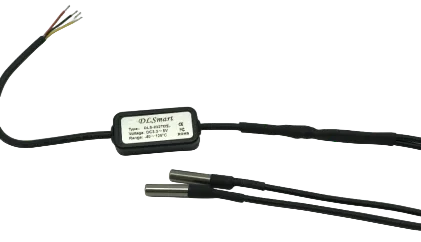
MX-TS-01-01 (232)
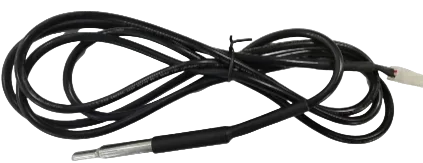
MX-TS-02-B080-5V (485)
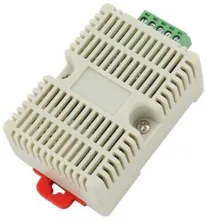
MX-TS-02-A003-12V (485)
Operation steps
1. Wiring
**MX-TS-01-01 (232) **
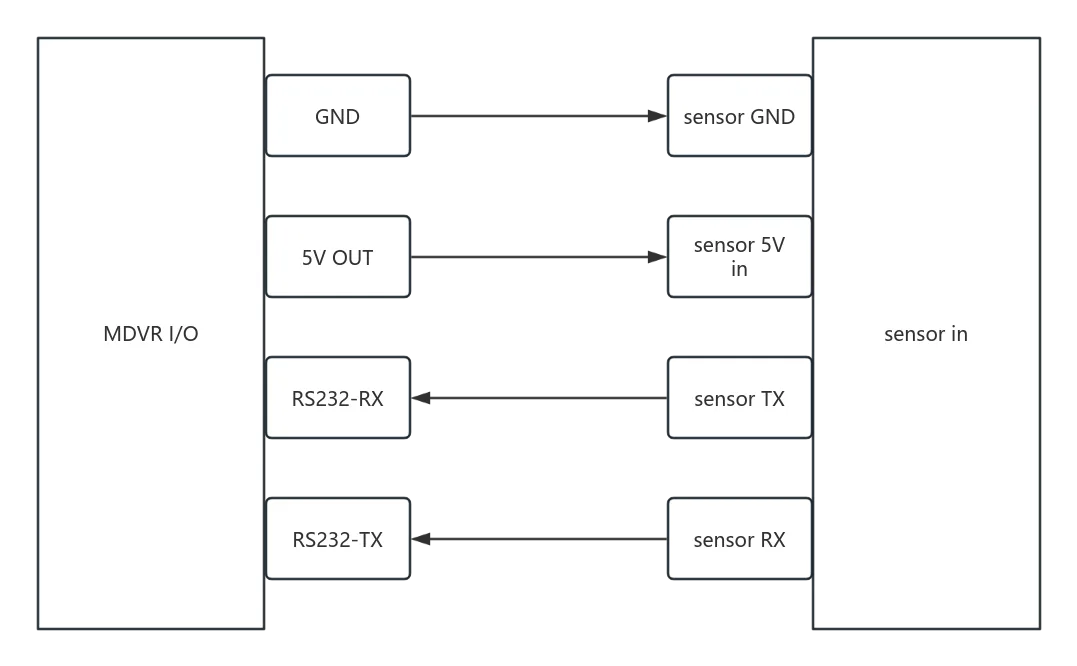
**Note: This 232 temperature sensor is 5V. Please do not connect it to a 12V power supply, otherwise it will burn out. If the IO expansion cable of the model used does not have a 5V power supply, please connect a 5V power supply separately. **
MX-TS-02-B080-5V(485)
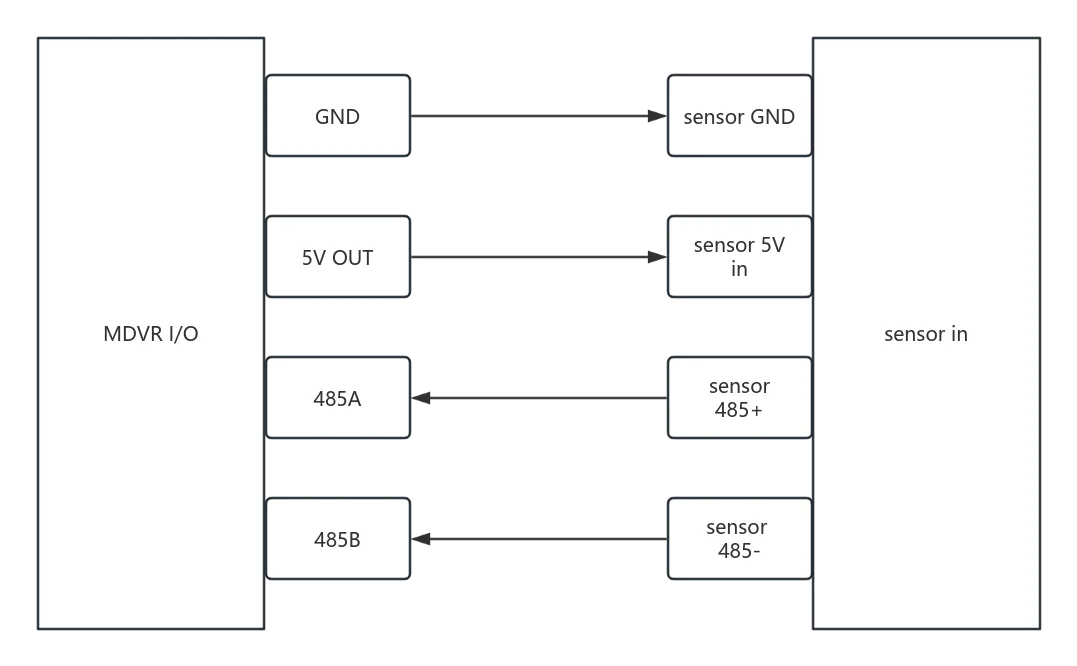
**Note: This 485 temperature sensor is 5V, please do not connect it to a 12V power supply, otherwise it will burn out. If the IO expansion cable of the model used does not have 5V, please connect a 5V power supply separately. **
2. Device menu configuration
MX-TS-01-01 (232)
Remote control enters Menu >> Settings >> Serial Port Settings >> Serial Port, configure the serial port index to RS232, serial port function Tmp Sensor, protocol type to type1, baud rate to 9600, and other parameters to default. Confirm and save to restart the device to take effect.
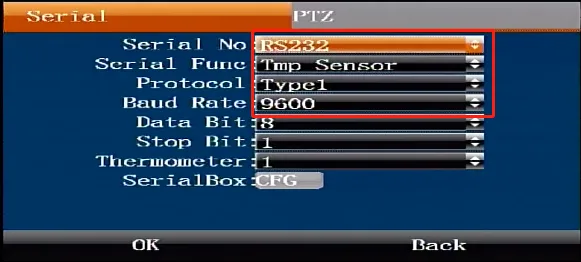
ps: When the temperature sensor has multiple probes, configure the number of probes here accordingly
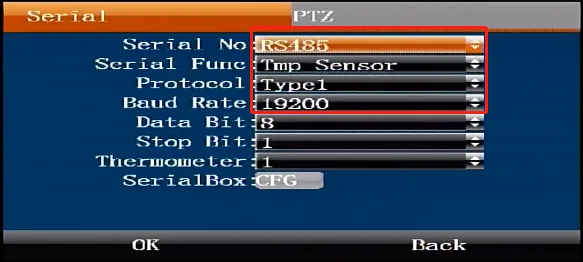
MX-TS-02-B080-5V (485)
Remote control enters Menu >> Settings >> Serial Port Settings >> Serial Port, configure the serial port index to RS485, serial port function Tmp Sensor, protocol type type1, baud rate to 19200, and other parameters to default. Confirm and save to restart the device to take effect.
3. Temperature test
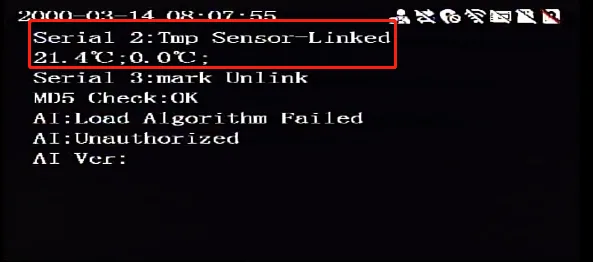
After restarting, press the remote control direction key to go to the serial port status to check whether it is connected and display the current ambient temperature