Prerequisites:
- The device network can access the Internet normally, for example: 4G dial-up is successful or wired network routing is successful or WiFi connection is successful, refer to the article introduction of "Function Usage" >>> "Network Function"!
- The device and computer are in the same LAN segment, and the computer can ping the local IP address of the device
Operation steps:
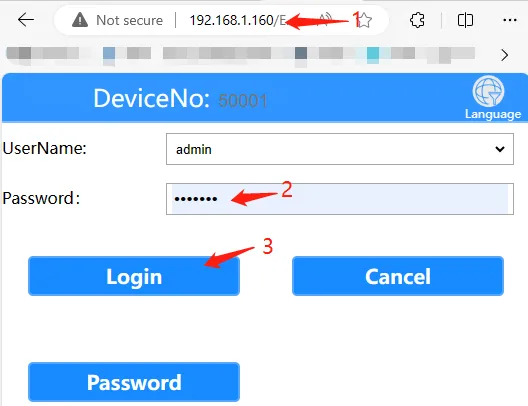
Open the computer browser and enter the local network IP address of the device, fill in the login password "Adm_123" and click "Login". The local network IP address of the device can be viewed by referring to the article introduction of "Function Usage" >>> "Network Function"
Click "General Settings" >>> "Basic Settings" >>> "Basic Information" >>> "Device Number" column, fill in the device number and save
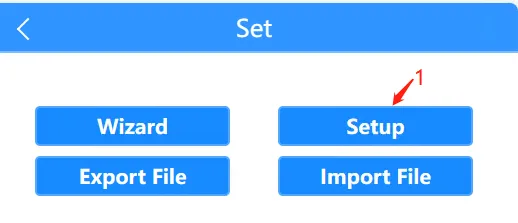
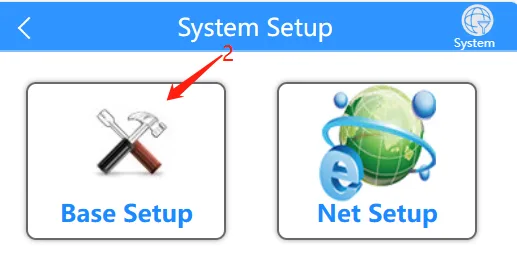
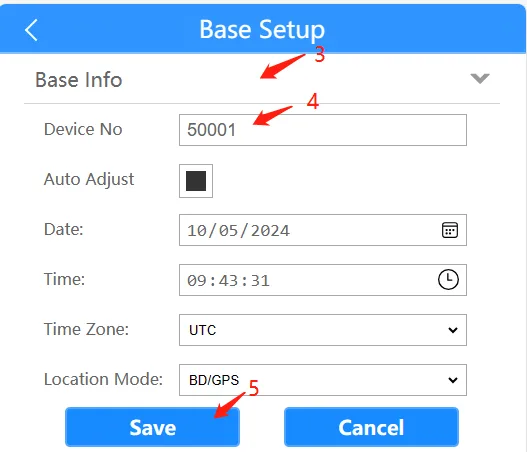
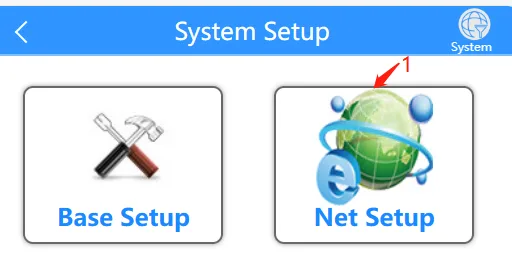
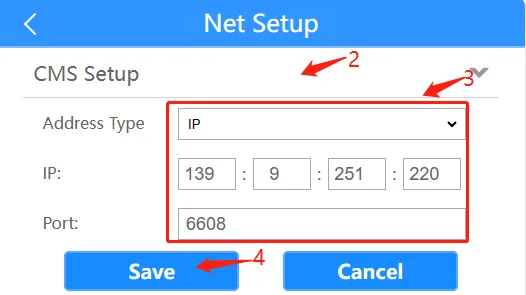
Return to the previous menu and click "Network Settings" ">>>"Platform Settings" column Select IP or domain name registration, fill in the IP or domain name address, fill in the port number to save
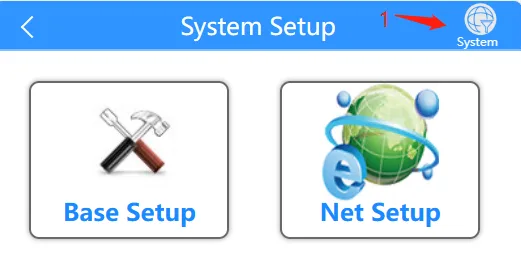
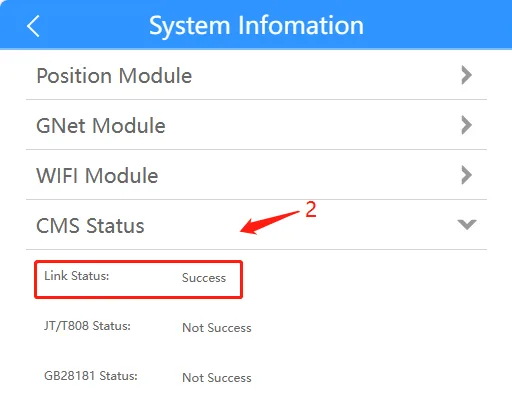
Return to the previous menu and click "System Information" in the upper right corner ">>>"CMS Module" column Click to expand View the first item Status Is the connection successful That is, whether the private platform registration is successful