Introduction to routing function: This device can connect to the Internet and provide other devices with Internet access through AP or network cable
Operation steps
M91HV ball camera, single-soldier built-in WiFi module device:
Insert 4G card, dial successfully, turn on AP mode, connect the mobile phone or computer to AP, and the mobile phone or computer can connect to the Internet through the device's 4G
Car-mounted wired devices:
Connect the network ports of two devices together through a network cable. For example, if there are two devices A and B, device A goes online through 4G dial-up and checks the configuration of the local network, as follows
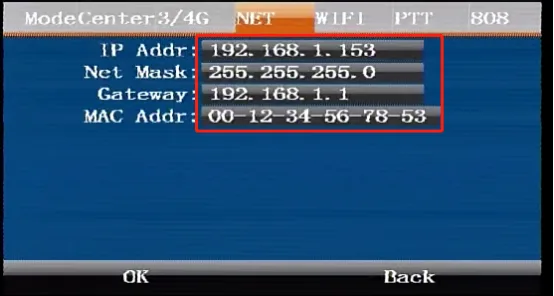
Then device B changes the gateway to the IP address of device A, and pay attention to modifying the IP address and MAC address of device B so that they are not the same as those of device A, as follows
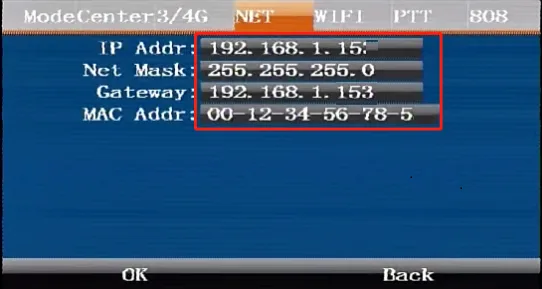
In this way, device B can connect to the platform through the network of device A. The same is true for the computer. Consider the computer as device B, and connect the device and computer through a network cable. Then configure the computer's network as shown above. The computer can connect to the Internet through the network of device A. If you don't know how to configure the computer's network, please go to 《How to set the IP address》