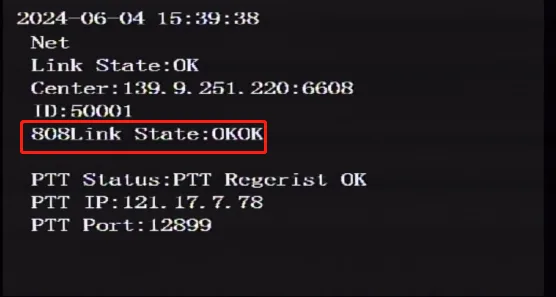
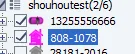
Prerequisites:
- The device network can access the Internet normally, for example: 4G dial-up is successful or wired network routing is successful or WiFi connection is successful, refer to the "Function Usage">>>"Network Function" article introduction!
Operation steps:
Download this configuration file template config.zip and unzip it locally

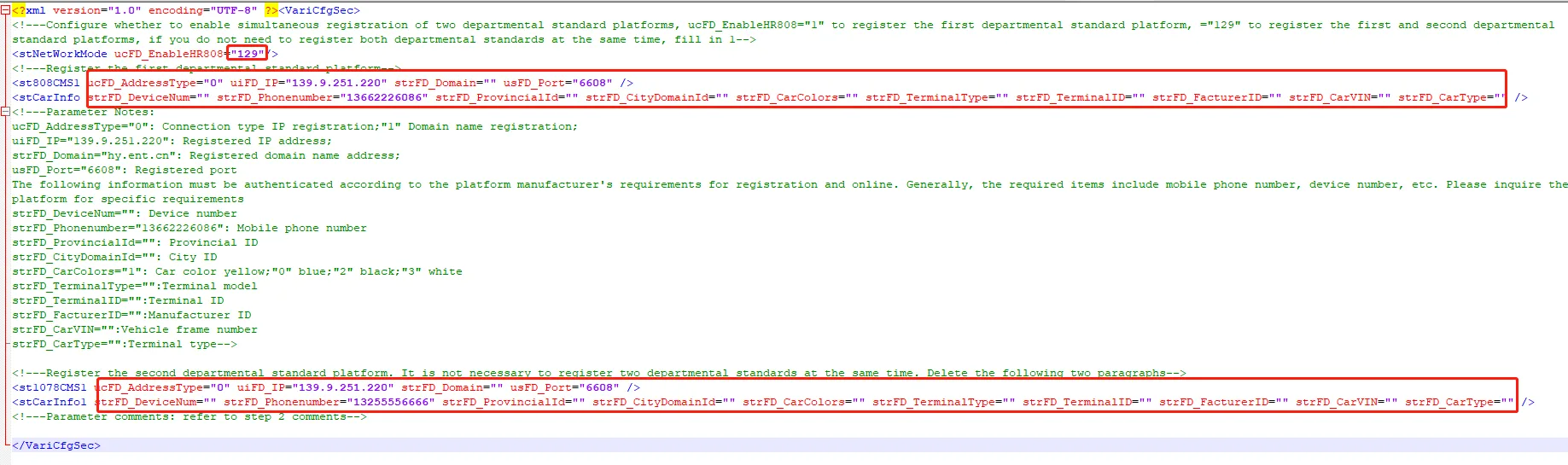
Open the text editing tool and fill in "Open function" "Server IP" "Server port" "Mobile phone number" "Terminal ID number" Parameters such as . Please refer to the xml document parameter comments
Unlock the device and remove the hard disk or SD card storage. Use a hard disk reader or SD card reader to insert it into the computer and open the root directory of the first partition of the storage

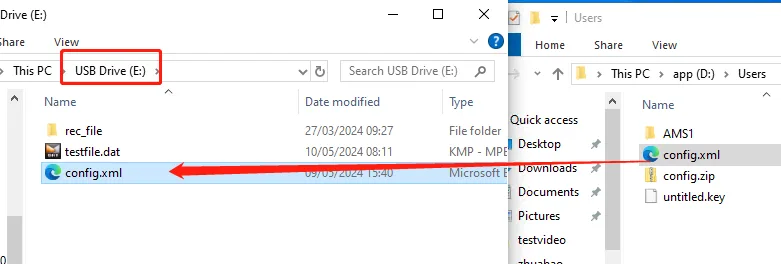
Copy the config file you just edited and saved to this directory, disconnect the device, insert the device and lock it
When the device is powered on, it will automatically import the configuration and restart. The configuration will take effect after the restart

Check whether the registration is successful locally or check whether the platform is online