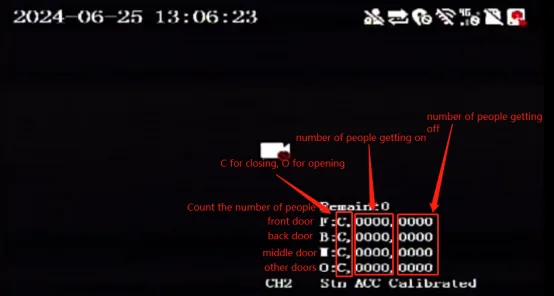
Prerequisites:
- A usable remote control and a normal display screen
- The device is already in shipping status (AI has been authorized and the algorithm has been imported)
- The device firmware is a customized version that supports passenger flow statistics
- The computer has the PC-Client tool installed and can ping the AI camera in the same LAN
Operation steps:
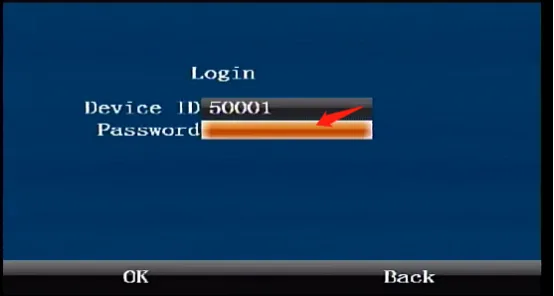
Press the middle "ENTER" confirmation button on the remote control to enter the login interface and enter the default administrator password "999999"
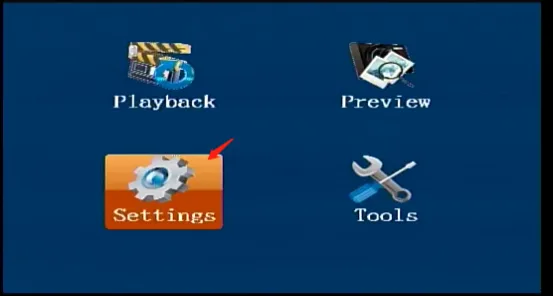
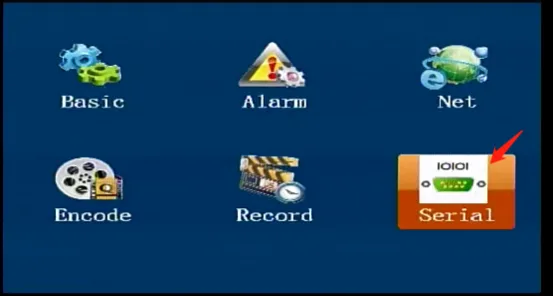
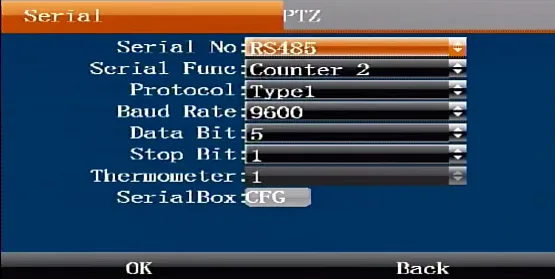
Press the ENTER button on the remote control to enter [Settings]---[Serial]---[Serial]. Press the ENTER button again to enter the editing state, move to the bottom to select the serial port index, serial port function and baud rate, and confirm to save.
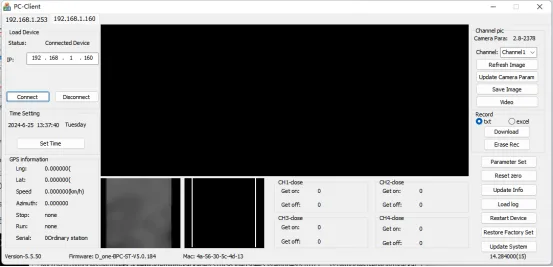
Use a network cable to directly connect the computer and the camera to ping, or in the same LAN, run the PC-Client tool to search for the connected camera. The default IPIP of the general camera is: 192.168.1.253. Set the AI camera parameters and restart the device and AI camera after completion.
After restarting, you can check the number of passengers and the door opening and closing status in the lower right corner of the display