Prerequisites
- Available remote control, normal display screen
- Available network router, network cable, network port adapter
Operation steps
Connect the device to the display screen, insert the network cable (if you don't know the position, refer to the "Interface Status Definition" column above), and power on the device.
Use the remote control ENTER to enter the device network setting menu, press the confirmation key and press the direction key to select Wired mode, and confirm to save.
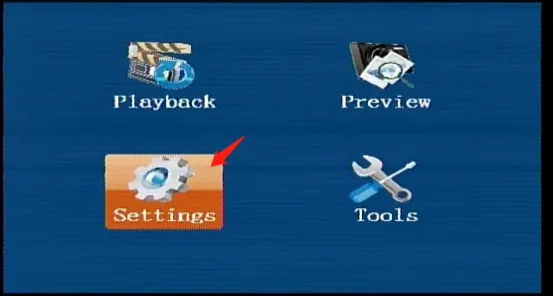
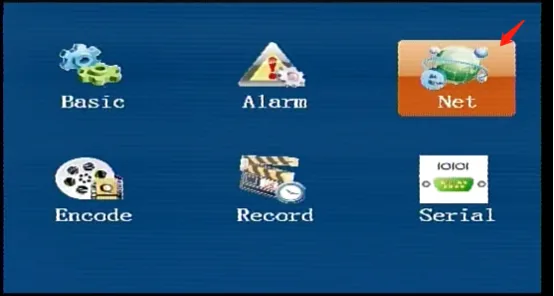
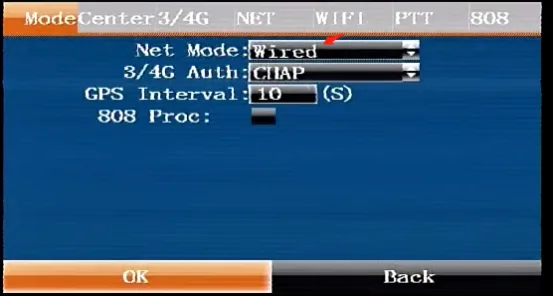
Press the right button on the remote control to move to the network configuration menu, fill in the IP address, subnet mask, gateway, and do not modify the default MAC. Confirm and save.
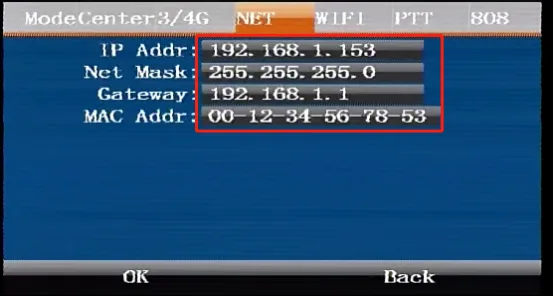
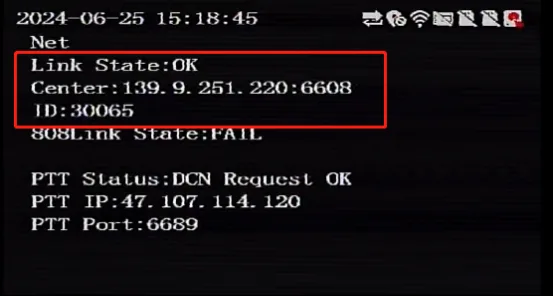
The wired network configuration takes effect immediately. When the network connection is successful after the configuration of the registered V7 platform parameters, you can return to the real-time preview interface and press the right button of the remote control to view the registered platform status