Necessary Notes
- Only supports vehicle configuration via device-specific protocols;
- Close and exit the client before replacing the file;
Replacement Method
Click to download the library file to be replaced, libconfig_18.dll, and extract it. Click here to download libconfig_18-2026-05-25(1).zip
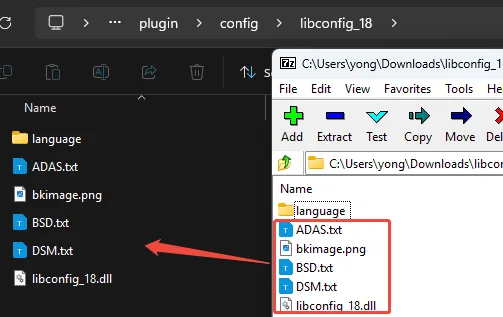
Open the installation path of the CMSV6 client. The default installation location is C:\Program Files. Replace these five files in (x86)\CMSV6\plugin\config\libconfig_18
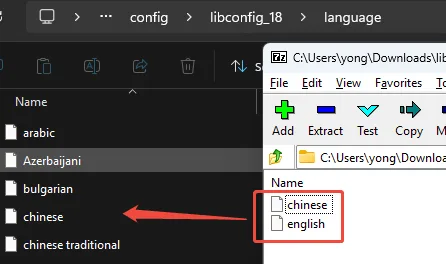
Click the "language" folder and replace these two files
Reopen the client, click on parameter configuration to open the configuration plugin and configure various parameters.
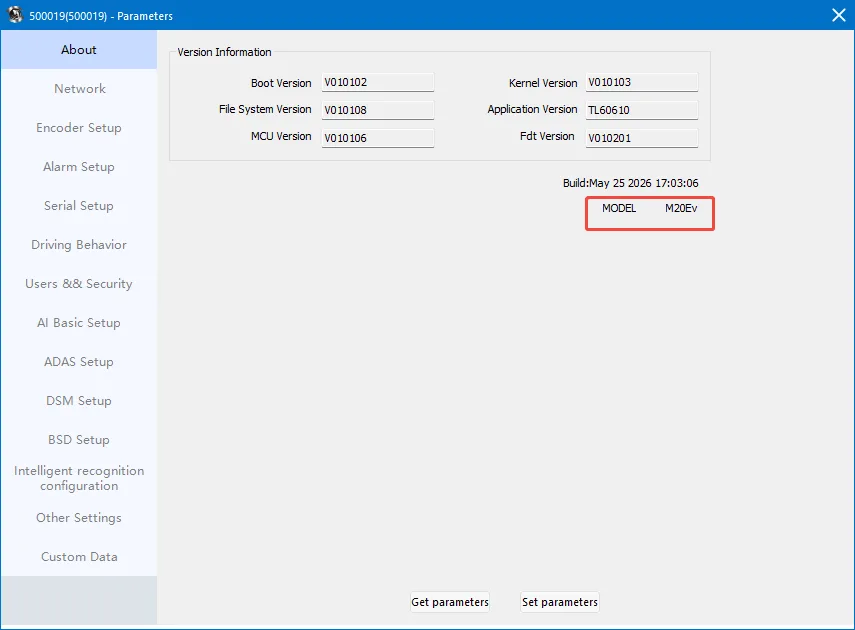
For detailed usage instructions, please refer to: Tongtianxing Client Plugin Online Configuration Tool