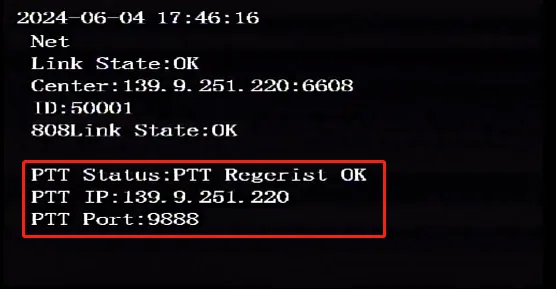
Prerequisites:
- The device network can access the Internet normally, for example: 4G dial-up is successful or wired network routing is successful or WiFi connection is successful, refer to "Function Usage">>>"Network Function" article introduction!
- Usable remote control, normal display screen
Operation steps:
1. Login menu
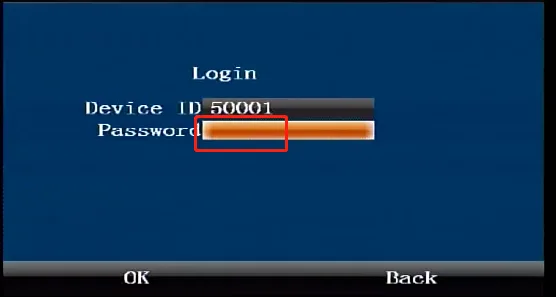
Press the middle "ENTER" confirmation key on the remote control to enter the login interface, and enter the default administrator password "999999"
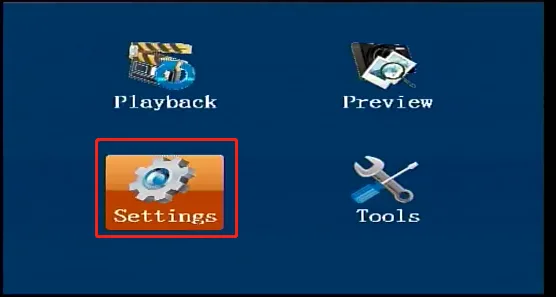
In the first-level menu interface, press the direction key on the remote control to move to the "Settings" button, and press the middle "ENTER" confirmation key on the remote control to enter the second-level "Settings" menu
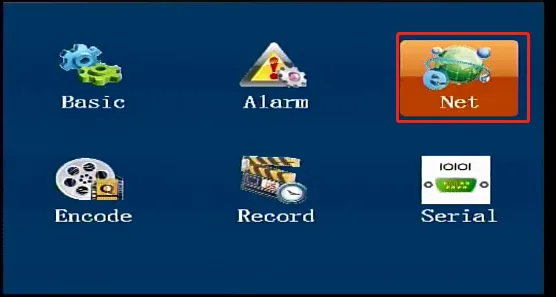
In the secondary "Settings" menu interface, press the right arrow key on the remote control to move to the "Network Settings" button, and press the middle "ENTER" confirmation key on the remote control to enter the third-level "Network Settings" menu
2. Fill in PTT parameters
In the third-level "Network Settings" menu interface, press the right arrow key on the remote control to move to the "PTT" interface, and press the middle "ENTER" confirmation key on the remote control to enter the "PTT" menu modification state
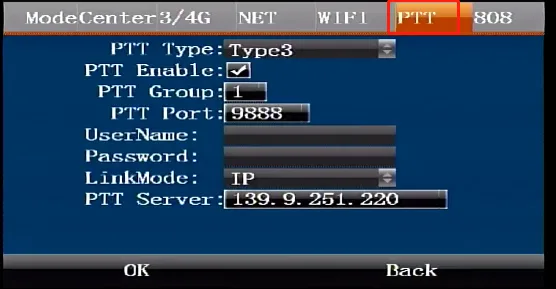
In the modification state, press the down arrow key to come to the "PTT Type" selection box and select the registered PTT platform type: "Type1" refers to the CMSV7 PTT platform "Type2" refers to the Bingheng PTT platform "Type3" refers to the Citops PTT platform
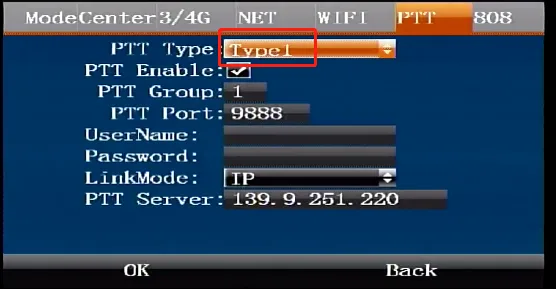
3. Register CMSV7 PTT platform
Select PTT type "Type1", turn on the enable checkbox, and register the platform with other parameters that are consistent with the CMSV7 protocol registration and online launch. Please refer to the article on registering the CMSV7 platform.
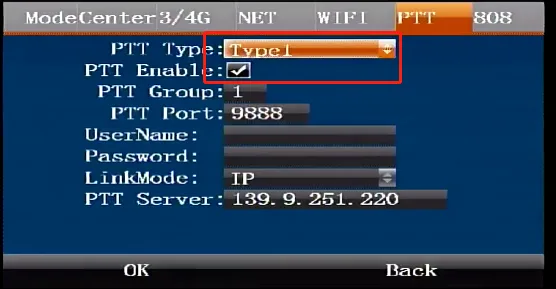
4. Register Bingheng PTT platform
Select PTT type "Type2", fill in "PTT port", "user name", "password", "connection method IP or domain name", "PTT server address", confirm and save.
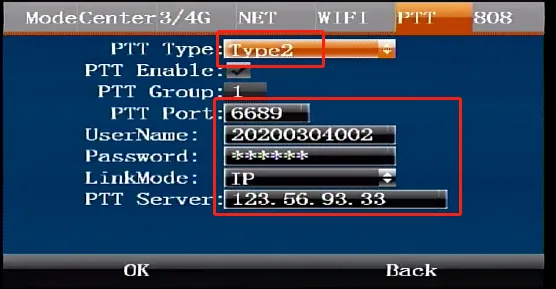
5. Register Citops PTT platform
Select PTT type "Type3", turn on the enable checkbox, fill in "PTT group", "PTT port", "connection method IP or domain name", "PTT server address", confirm and save.
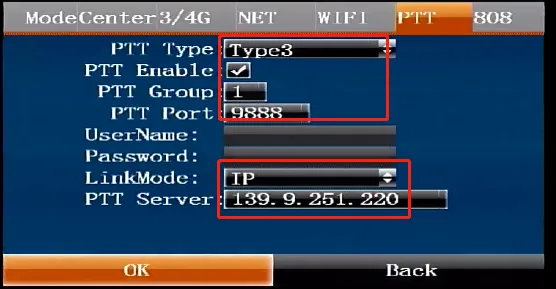
Press the "RETURN" button on the lower right corner of the remote control three times to enter the device real-time preview main interface, and press the right button three times again to enter the "Network Status" interface to check whether the PTT platform is successfully registered