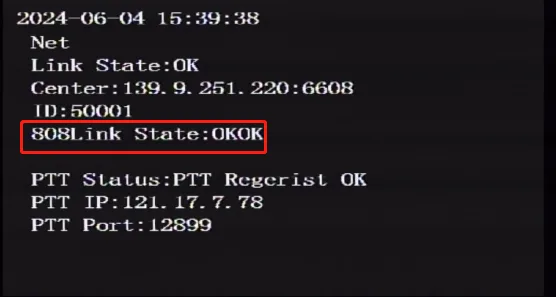
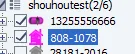
Prerequisites:
- The device network can access the Internet normally, for example: 4G dial-up is successful or wired network routing is successful or WiFi connection is successful, refer to "Function Usage" >>> "Network Function" article introduction!
Operation steps:
The device is issued through local tools, remote plug-ins, etc. For specific methods, refer to the "Function Use" >>> "Configuration Tool" article introduction
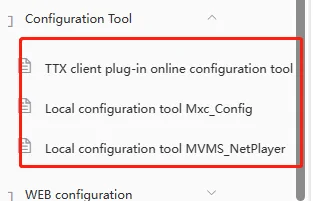
Copy the parameter command for enabling the Ministry of Standards function
<VariCfgSec Action="DEVICE_SET">
<stNetWorkMode ucFD_EnableHR808="129"/>
</VariCfgSec>
Configure whether to enable simultaneous registration of two Ministry of Standards platforms, ucFD_EnableHR808="1" to register the first Ministry of Standards platform, ="129" to register the first and second Ministry of Standards platforms
- Copy the parameter instructions of the first departmental standard platform for registration and issue them. Generally, the required items are: IP or domain name address, port number, mobile phone number, device number, etc. Some platforms also require successful device positioning before going online. Please inquire about the platform requirements
<VariCfgSec Action="DEVICE_SET">
<st808CMS1 ucFD_AddressType="0" uiFD_IP="139.9.251.220" strFD_Domain="" usFD_Port="6608" />
<stCarInfo strFD_DeviceNum="" strFD_Phonenumber="13662226086" strFD_ProvincialId="" strFD_CityDomainId="" strFD_CarColors="" strFD_TerminalType="" strFD_TerminalID="" strFD_FacturerID="" strFD_CarVIN="" strFD_CarType="" />
</VariCfgSec>
Parameter Notes: ucFD_AddressType="0": Connection type IP registration;"1" Domain name registration; uiFD_IP="139.9.251.220": Registered IP address; strFD_Domain="hy.ent.cn": Registered domain name address; usFD_Port="6608": Registered port The following information must be authenticated according to the platform manufacturer's requirements for registration and online. Generally, the required items include mobile phone number, device number, etc. Please inquire the platform for specific requirements strFD_DeviceNum="": Device number strFD_Phonenumber="13662226086":Mobile phone number strFD_ProvincialId="":Provincial ID strFD_CityDomainId="":City ID strFD_CarColors="1":Car color yellow;"0"blue;"2"black;"3"white strFD_TerminalType="":Terminal model strFD_TerminalID="":Terminal ID strFD_FacturerID="":Manufacturer ID strFD_CarVIN="":Vehicle frame number strFD_CarType="":Terminal type
- Copy and issue the parameter command for registering the second departmental standard platform. Ignore this step if the device does not need to register two departmental standard platforms at the same time
<VariCfgSec Action="DEVICE_SET">
<st1078CMS1 ucFD_AddressType="0" uiFD_IP="139.9.251.220" strFD_Domain="" usFD_Port="6608" />
<stCarInfo1 strFD_DeviceNum="" strFD_Phonenumber="13255556666" strFD_ProvincialId="" strFD_CityDomainId="" strFD_CarColors="" strFD_TerminalType="" strFD_TerminalID="" strFD_FacturerID="" strFD_CarVIN="" strFD_CarType="" />
</VariCfgSec>
Parameter Notes: Refer to the notes in step 2
It takes effect immediately after being sent successfully, and no restart is required
Check whether the registration is successful locally or check whether the platform is online