Description
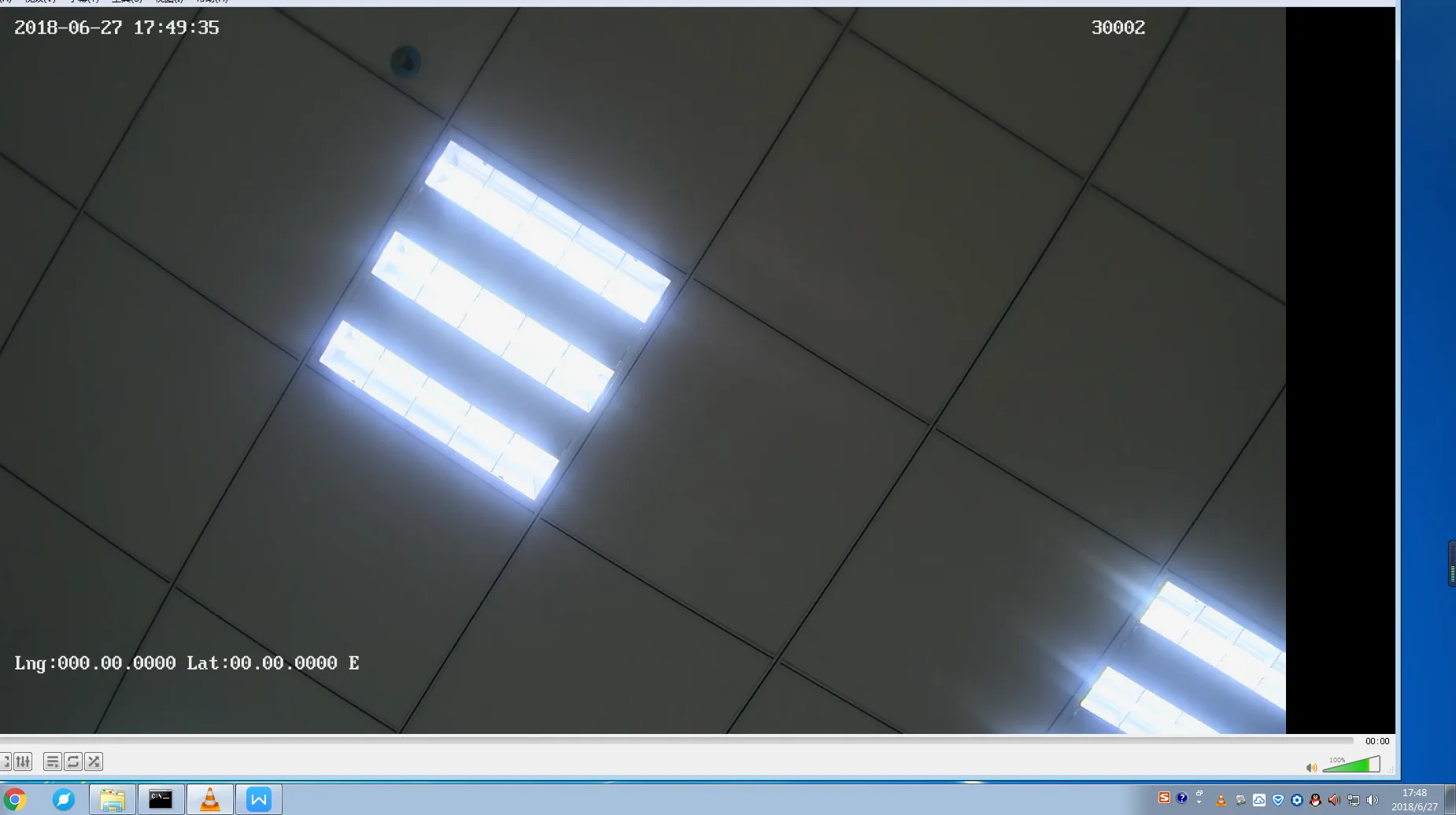
- Device RTSP protocol: Through a player that supports obtaining RTSP streams, you can directly obtain the device's video without the need for the device to report to the platform (MDVR B/S end >>> PC computer C/S end)
- The regular versions of the new MDVR models currently shipped all support this function
Operation steps
Get the player for the device's RTSP streaming media: The computer has a player that supports playing RTSP video streams, such as VLC. You can click the link to download and install the VLC player https://vlc-media-player.en.softonic.com/
Connect the device network to WiFi. The IP network segment of the Internet access must be the same as that of the computer and can be pinged, or the device and computer can communicate with each other through a wired connection. For example: Computer IP 192.168.1.212 Device end 192.168.1.113 Note that when connecting to WiFi, the device cannot be too far away from WiFi, the signal is too weak, and the request cannot be received.
Download VLC media player on your computer and install it
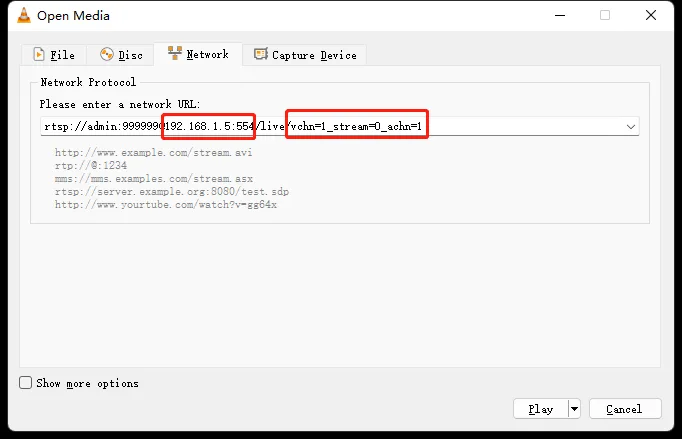
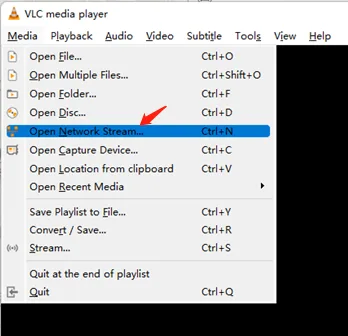
Open VLC media player--enter the following content and change the IP to the device IP
rtsp://admin:[email protected]:554/live/vchn=1_stream=0_achn=1
Notes: rtsp stream: rtsp://admin:[email protected]:554/live/vchn=1_stream=0_achn=1 stream=0 0 means main stream 1 means sub-stream admin:999999 is the user name and password for accessing the device, which does not need to be modified by default vchn=1 1 means the first channel achn=1 1 means requesting audio
- Change the framed IP part to the device IP and fill in the network streaming address, then click Play