Prerequisites:
- Display screen, remote control, correctly connected camera capable of outputting images
Operation instructions
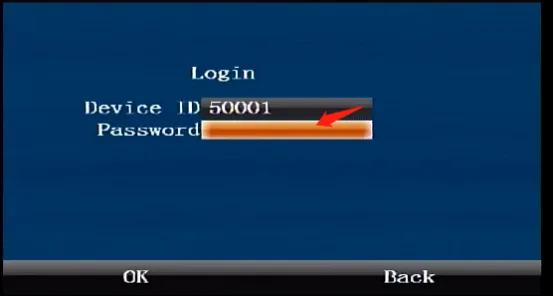
Press the [ENTER] button on the remote control to enter the login interface, enter the password "999999", and automatically log in to the main menu
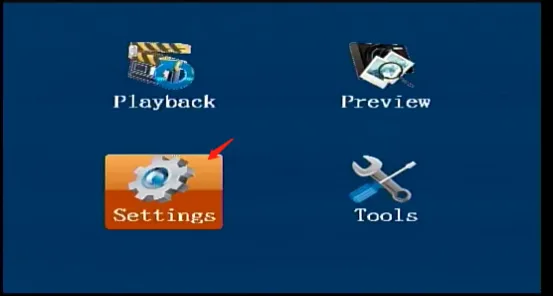
Select [Settings] on the main menu interface, and press the "ENTER" button to enter the settings interface
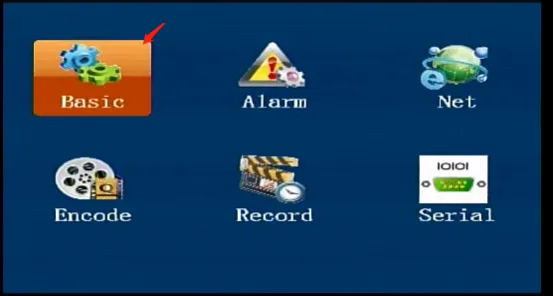
Select [Basic Settings] in the [Settings] interface, and press the "ENTER" key to enter the basic settings interface
Select [Mirror] in the [Basic Settings] interface, enter the mirror settings page, check the channel and direction to be mirrored, and press "OK" to save
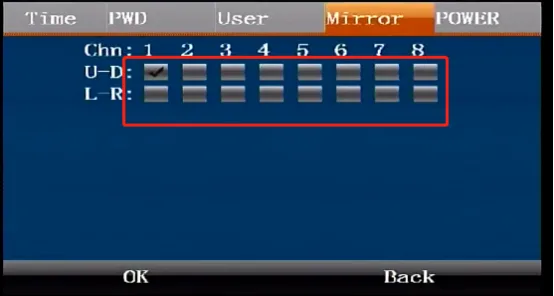
ps: After configuration, you can immediately return to the real-time screen to view the effect