“Three One” Standard Transparent Transmission Delivery Tool
This chapter introduces the "data downstream transparent transmission" protocol function of the 808 department standard extension. The "Sany" platform is used as an example below. Other platforms that support the extension are similar: find the downstream transparent transmission window, fill in the data type and the parameter configuration to be delivered, and that is all.
Operation steps:
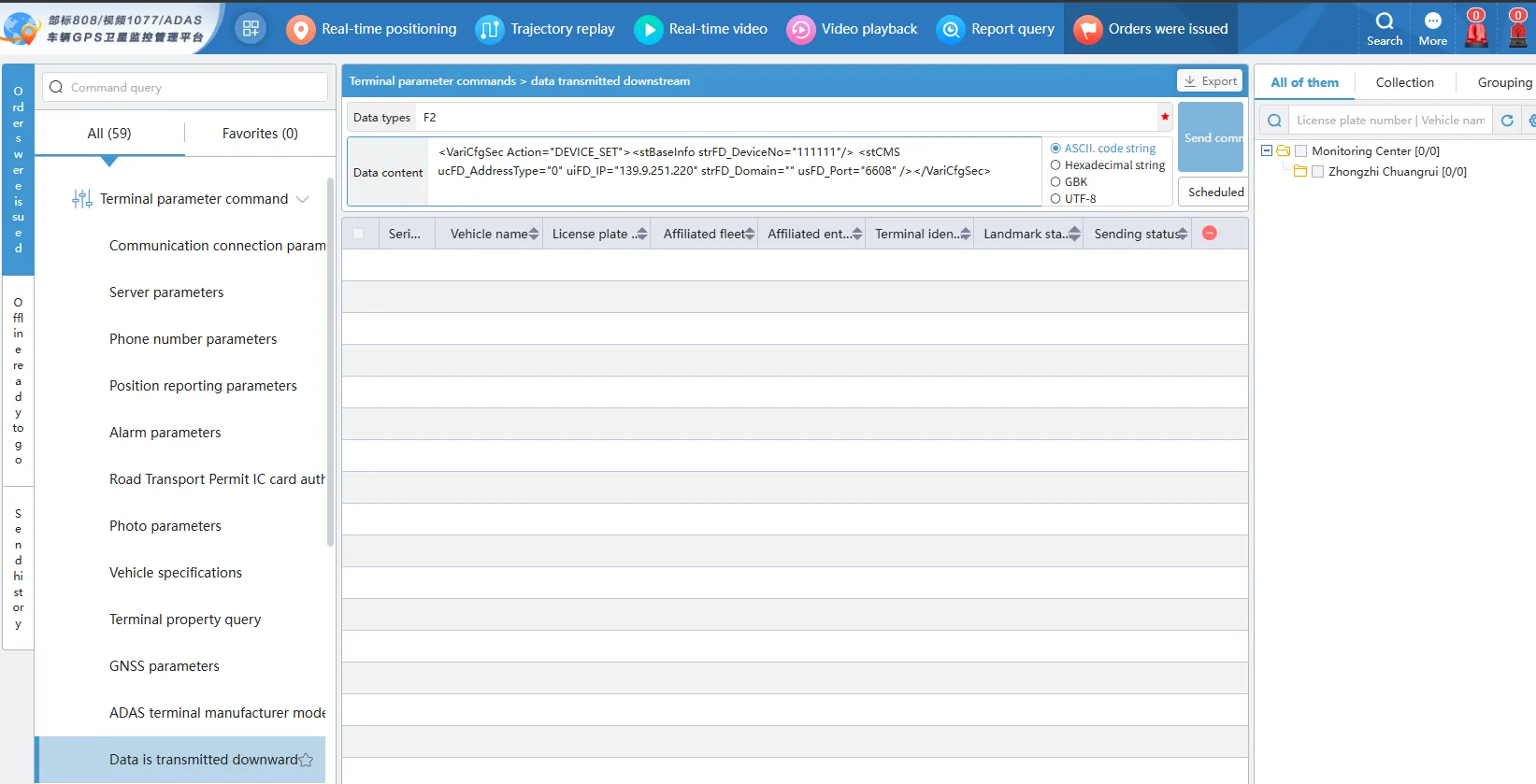
Log in to the WEB side of the "Sany" department standard platform, find the "Terminal Parameter Command" menu, and click "Data Downstream Transparent Transmission"
Fill in "Data Type" F2 and the command to be copied in "Data Content", click the vehicle to be delivered to, then click the "Send Command" button on the right again. If the command is sent successfully, the status "Success" will be returned, and the command has been delivered successfully.
ps: If it prompts failure or there is no response, please check whether the vehicle is online normally, whether the copied parameters are correct, and whether the device supports this command. ps: For common parameter commands, refer to Common configuration parameter instructions and Common query parameter instructions