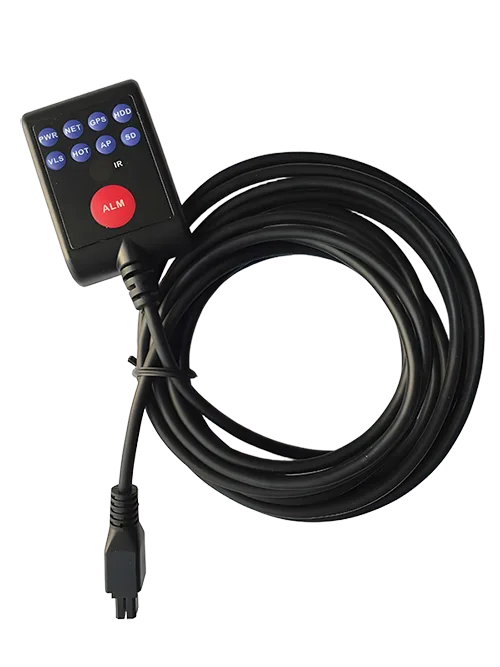
Accessory
LED
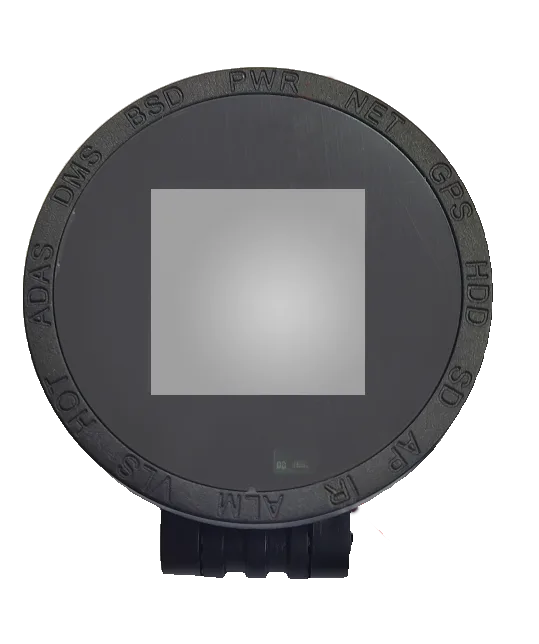
The status of MDVR can be viewed through the LED panel indicator light, and remote control signals can be received to remotely control MDVR.…
Full Specification
LED Panel Specification
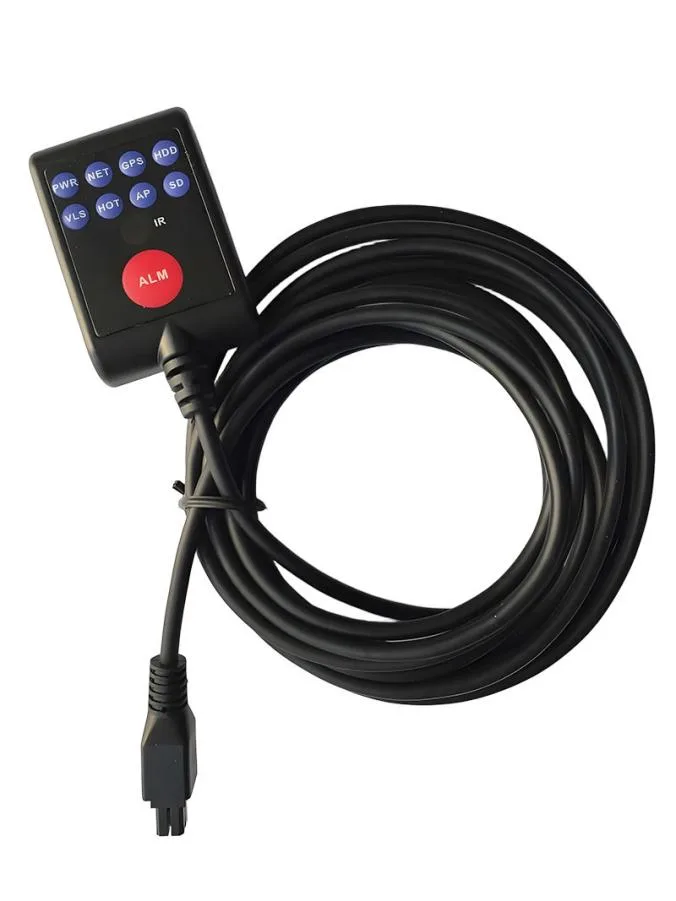
Function
The status of MDVR can be viewed through the LED panel indicator light, and remote control signals can be received to remotely control MDVR. It is suitable for use in locations where MDVR installation is concealed and inconvenient for viewing status and control; The device also supports one click alarm function, and pressing the red ALM button on the panel can initiate an alarm to the platform.
Product Features
- Equipped with LED panel display
- One click alarm button
- Optional IR function
Key Function
Item | Instruction | |
Indicator | PWR | Power Indicator |
NET | Network indicator | |
GPS | Satellite positioning indicator | |
HDD | Hard Disk Indicator | |
VLS | Radar indicator | |
HOT | Heating indicator | |
AP | AP indicator | |
SD | SD card indicator | |
Induction | IR | Proximity sensor |
Key | ALM | Alarm button |
Interface definition
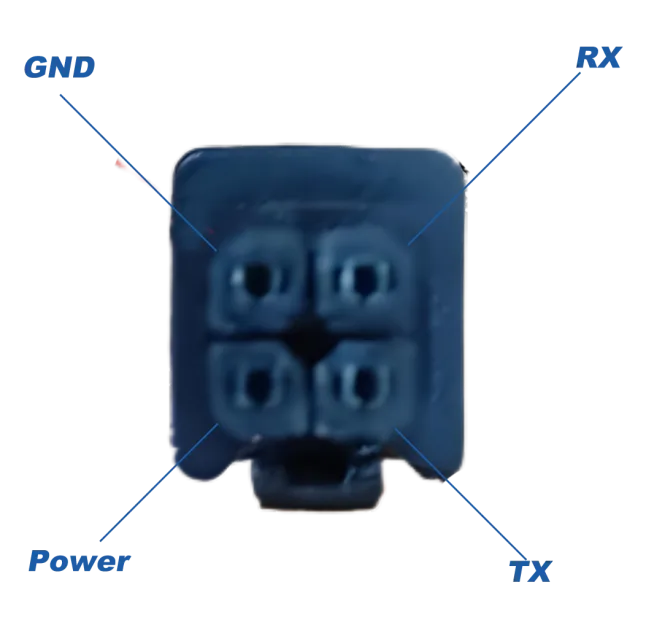
Definition of Equipment Tail Line Interface
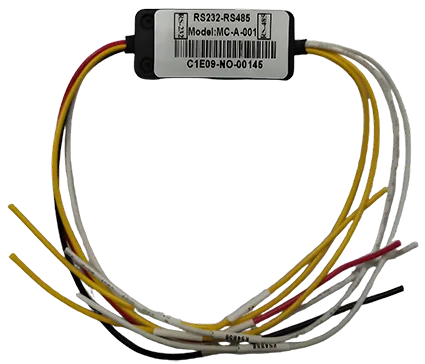
- Optional connector, first connect the device to the connector, and then connect the connector to MDVR's RS232 (recommended).
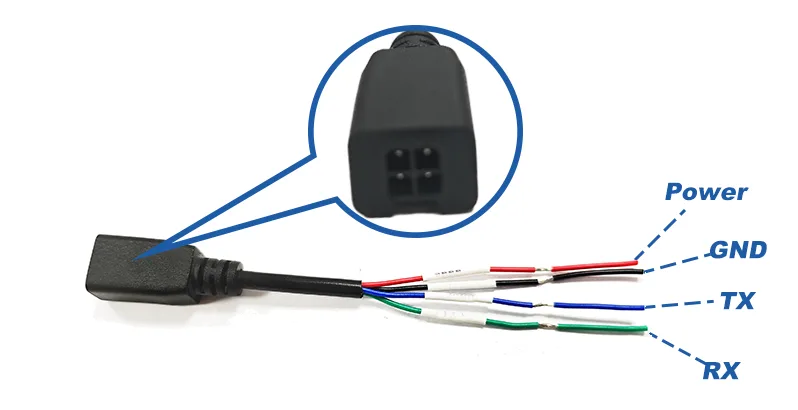
2. Cut the wires yourself and connect to the RS232 interface of MDVR according to the device's tail line interface definition.
3. MDVR requires a 12V power supply for the device, with the TX of MDVR connected to the RX of the device and the RX connected to the TX of the device;
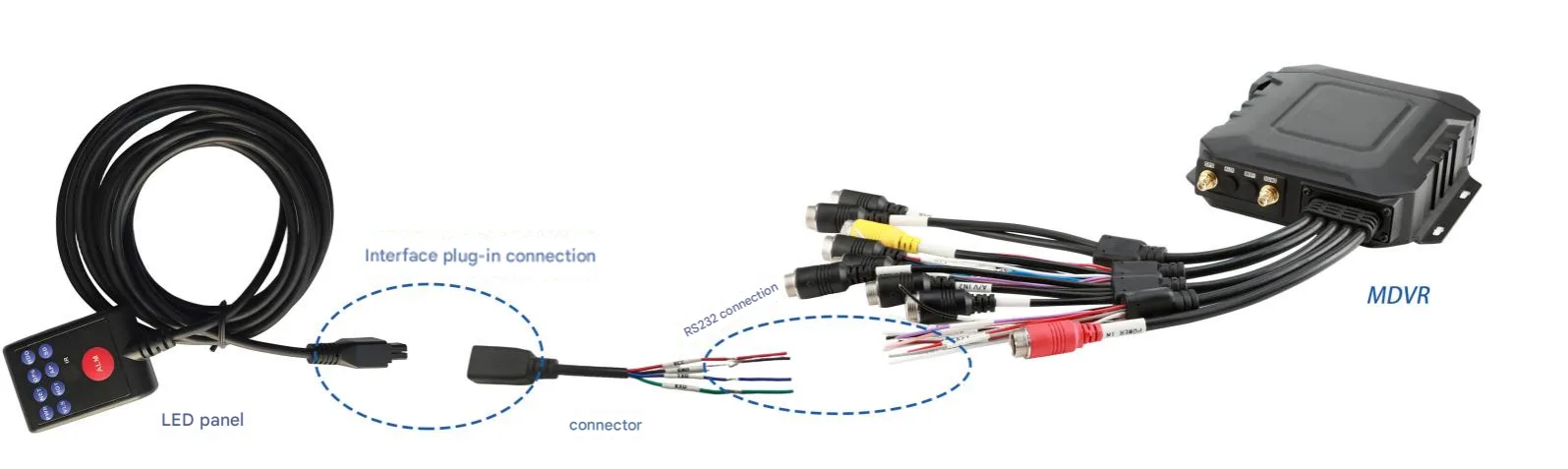
4. In the "Serial Port Function" menu of MDVR, you need to change the RS232 serial port function to LED panel with a baud rate of 9600. After making the changes, save and restart MDVR to use it normally.